
AttendanceSetup
Devices and imports (biometric and card punches)
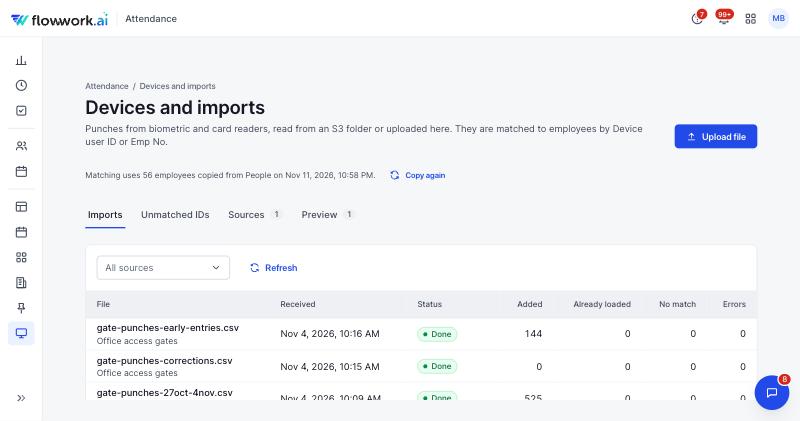
If your company uses biometric or card readers, their punches can build attendance days. flowwork reads the reader's export files from an S3 folder, or from files you upload, and matches each punch to an employee.
Before you start
- To set up sources, upload, link IDs or go live, you need attendance management access. People who can see everyone's attendance can look at every tab but not change anything.
- Find the page under Attendance › Setup › Devices and imports.
- Have a sample export file from the reader software to test with.
How punches are matched
- Each punch has an ID from the reader. It matches an employee by their Emp No in People, or by a device ID you linked to them (see "Unmatched IDs").
- Matching uses a copy of the active employee list. The page shows when it was copied; Copy again refreshes it. It's also copied when the page opens and the copy is over 12 hours old, and once a day.
- An ID that two active employees share isn't matched. It shows under Unmatched IDs.
Read the full guide with your flowwork account
The rest of this page has the steps, screenshots and tips. Anyone at a company that uses flowwork can read every page, and ask the Help assistant about it.
Every step, in order Real screenshots The agents that help
New companies use flowwork free until 31 December 2026