
AttendanceStart here
What Attendance does, and the menu
Attendance is where your company records who worked when. Everyone checks in and out and sees their own month. Managers approve corrections. HR sees the whole company for a day or a month, and sets up shifts, weekly offs, work locations, offices and devices.
Before you start
- Open Attendance from the app launcher (the grid at the top right) or from People › Check-in.
- What you see in the menu depends on your permissions. Two people in the same company can see different menus. See Who can see what.
The menu
The menu has three groups.
Attendance
| Item | What it's for | Who sees it |
|---|---|---|
| Dashboard | Company figures and charts for attendance. | People who can see everyone's attendance |
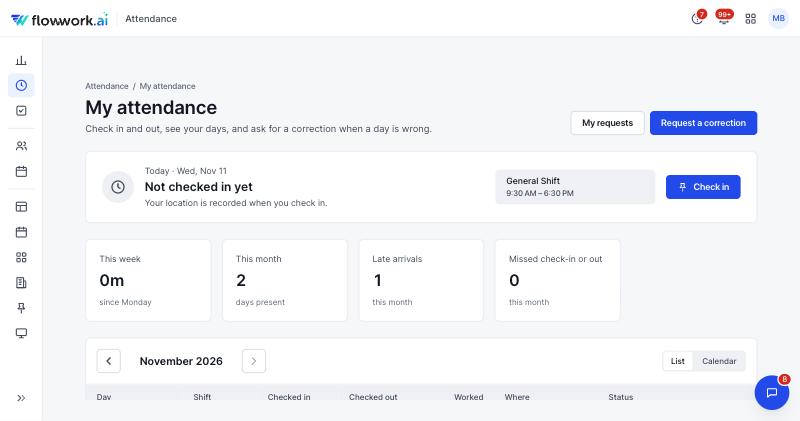
| My attendance | Check in and out, and see your own month. | Everyone |
| Requests | Your correction requests, and the ones waiting for your approval. | Everyone |
Team
| Item | What it's for | Who sees it |
|---|---|---|
| Everyone | One day for the whole company: who is in, late, absent or on leave. | People who can see everyone's attendance |
| Muster | The month grid for everyone, with totals. HR can change a day. | People who can see everyone's attendance |
| Work locations | Where you work each day: office, home or hybrid. | Everyone without HR access (HR finds it under Setup) |
Setup
| Item | What it's for | Who sees it |
|---|---|---|
| Shifts | Working hours, breaks and grace times. | HR (manage attendance) |
| Weekly offs | Which days of the week are off. | HR (manage attendance) |
| Roster | Who works which shift, and from when. | HR (manage attendance) |
| Work locations | Where each person works, day by day. | HR (manage attendance) |
| Offices and geofences | A radius around each office: a check-in inside it is recorded with the office's name. It never blocks a check-in. | HR (manage attendance) |
| Devices and imports | Punches from biometric devices and gate files. | People who can see everyone's attendance |
Read the full guide with your flowwork account
The rest of this page has the steps, screenshots and tips. Anyone at a company that uses flowwork can read every page, and ask the Help assistant about it.
Every step, in order Real screenshots The agents that help
New companies use flowwork free until 31 December 2026