
AttendanceTeam
The Muster: everyone's month
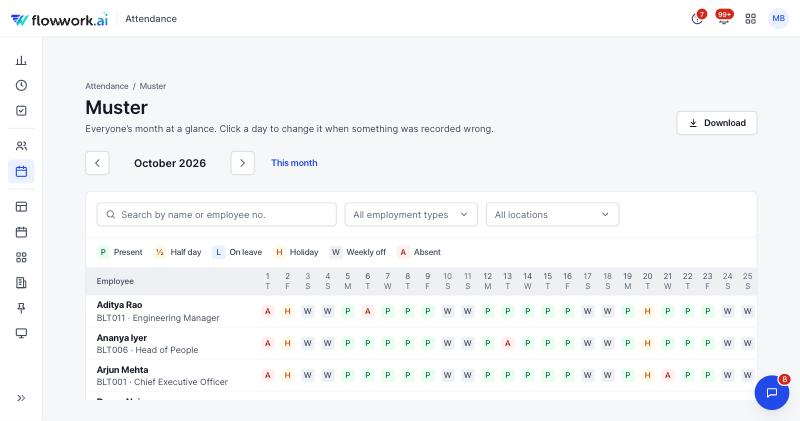
The Muster shows a whole month for every employee: one row per person, one letter per day, and their totals. Use it to check a month before payroll, and to correct a day that was recorded wrong.
Before you start
- You need permission to see everyone's attendance, or to manage attendance. Without it, Muster isn't in the menu, and a link to it opens My attendance.
- With view permission you can look and download. Only people who manage attendance can change a day.
Open it
Go to Attendance › Team › Muster. It opens on this month.
- Use the arrows (Previous month and Next month) to move between months. You can't go past this month.
- Select This month to come back.
Read the full guide with your flowwork account
The rest of this page has the steps, screenshots and tips. Anyone at a company that uses flowwork can read every page, and ask the Help assistant about it.
Every step, in order Real screenshots The agents that help
New companies use flowwork free until 31 December 2026