
AttendanceSetup
Offices and geofences
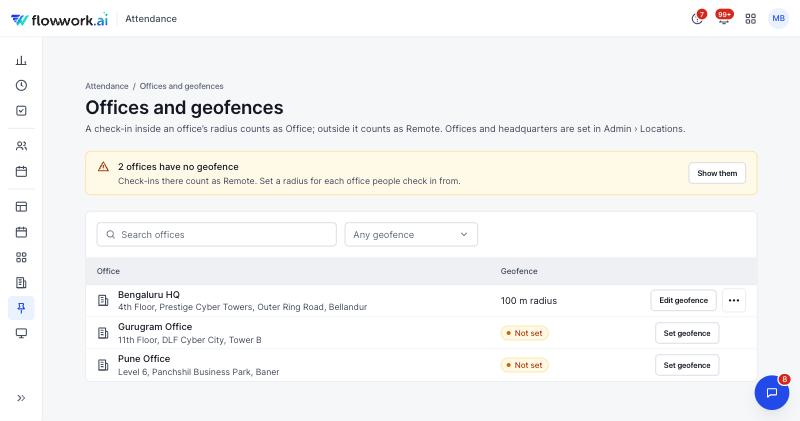
A geofence is a circle around an office. When someone checks in inside it, the check-in is recorded at that office. Set one for each office people check in from.
Before you start
- You need attendance management access.
- Find the page under Attendance › Setup › Offices and geofences.
- Offices, their addresses, map positions and which one is the Headquarters are set in Admin › Locations, not here. This page only sets the radius.
Set a geofence
- Find the office. Use search, or the filter (Any geofence, Geofence set, Not set).
- Select Set geofence (or Edit geofence).
- Enter the Radius in whole metres, from 50 m to 2 km. It starts at 200 m.
- Check the circle in the preview. Open in Google Maps shows the office's real spot in a new tab.
- Select Save geofence.
Phone GPS is often off by 20–50 m, so leave some room.
Read the full guide with your flowwork account
The rest of this page has the steps, screenshots and tips. Anyone at a company that uses flowwork can read every page, and ask the Help assistant about it.
Every step, in order Real screenshots The agents that help
New companies use flowwork free until 31 December 2026