
DocumentsManage documents
All documents
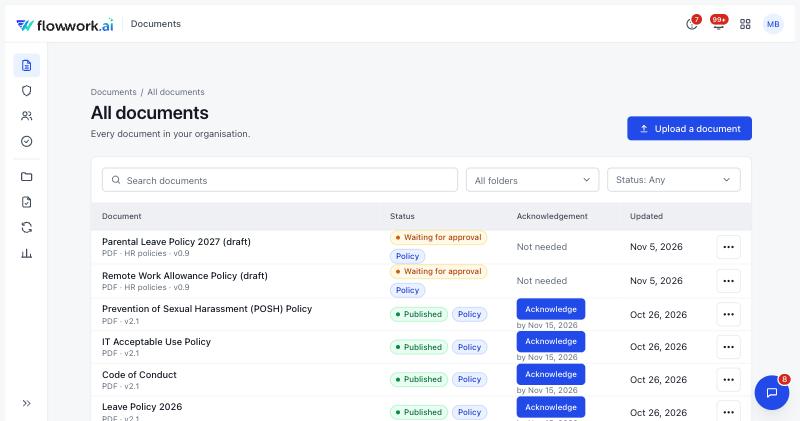
All documents is the working list for people who look after documents. It shows every document you can see, policies and others, with a folder filter, and it's where you upload, edit and delete.
Before you start
- You need View all documents or Manage document. See Who can see what.
- The list shows only documents shared with you (everyone, your primary department or you by name) and the ones you uploaded. Viewing permission doesn't show you other people's private documents.
Find a document
- Go to Documents › All documents.
- Type in Search documents to search by name.
- To see one folder's documents, pick it under All folders. Opening a folder on the Folders page brings you here with the folder already picked.
- Select a document's name to open it in a new tab.
The list shows 20 documents a page, newest change first.
Read the full guide with your flowwork account
The rest of this page has the steps, screenshots and tips. Anyone at a company that uses flowwork can read every page, and ask the Help assistant about it.
Every step, in order Real screenshots The agents that help
New companies use flowwork free until 31 December 2026