
DocumentsManage documents
Folders
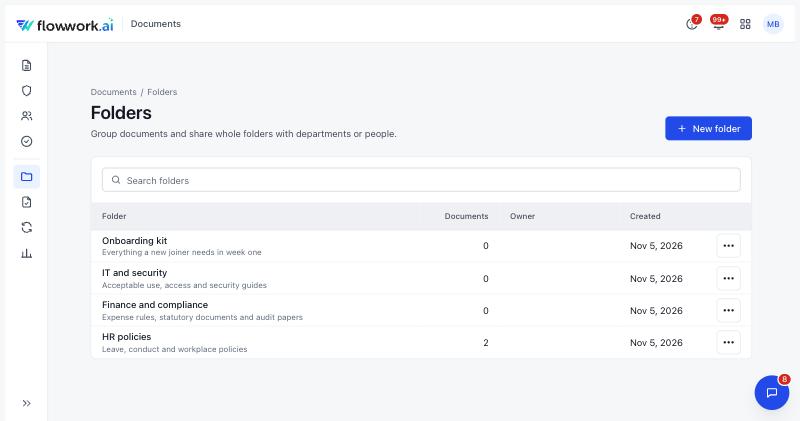
Folders group documents, for example "HR policies" or "Onboarding kit". You can put folders inside folders and share a whole folder with departments or people.
Before you start
- You need View all folders or Manage folder to open Folders. Creating, editing and deleting need their own permissions. See Who can see what.
- You see the folders you created and the folders shared with you.
Create a folder
- Go to Documents › Folders and select New folder.
- Enter a Name. Each folder name can be used once in your company.
- Optionally, add a Description.
- To put it inside another folder, choose it under Inside folder. Leave it empty for a top-level folder.
- Select Create folder.
You'll see Folder created.
Read the full guide with your flowwork account
The rest of this page has the steps, screenshots and tips. Anyone at a company that uses flowwork can read every page, and ask the Help assistant about it.
Every step, in order Real screenshots The agents that help
New companies use flowwork free until 31 December 2026