
RecruitPipeline and interviews
Review an interview and add your feedback
After a candidate finishes a round, the people on that round's interview panel look at the results and each add their own review. The recruiter or hiring manager then sets the candidate's final status for the job.
Before you start
- You can see results and add a review only if you're on the interview panel for that round. If you see "You aren't on this round's panel", ask the recruiter to add you to the round's panel.
- Panels are set per round in the job's Interview rounds step.
Open the review
- Go to Recruit › Jobs and open the job.
- On the Candidates tab, find the candidate. Filter by round if the list is long.
- Open the row's menu and select Review interview.
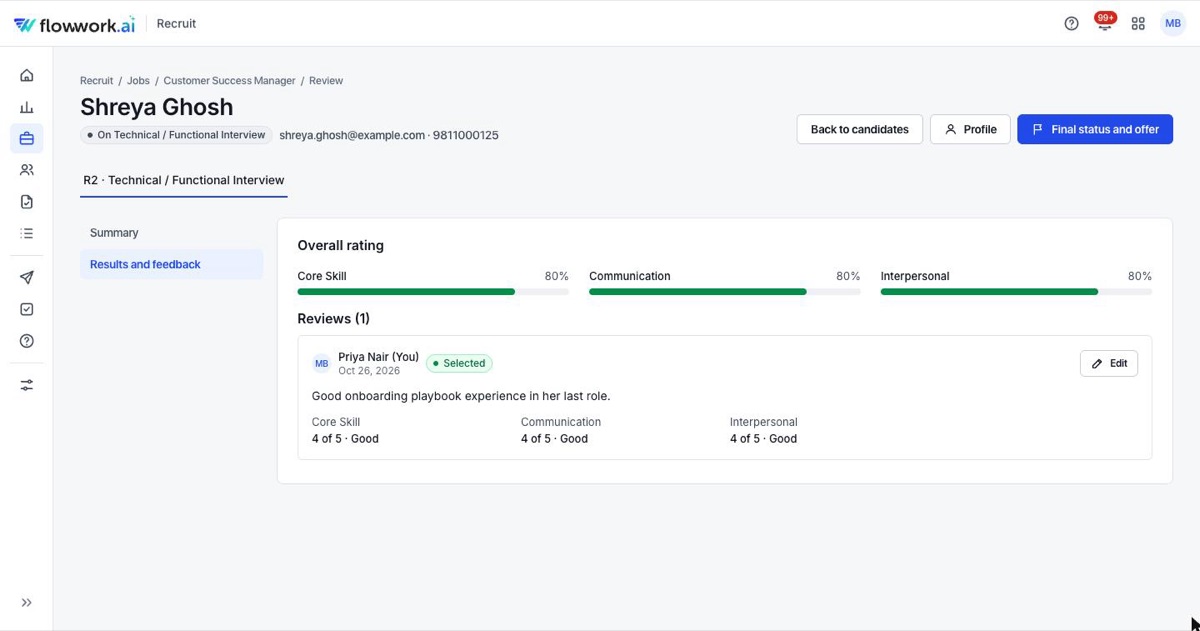
The page shows the candidate's name, status, email and phone. If they were referred, it also shows who referred them. At the top you'll find Resume, Profile and Final status and offer.
Read the full guide with your flowwork account
The rest of this page has the steps, screenshots and tips. Anyone at a company that uses flowwork can read every page, and ask the Help assistant about it.
Every step, in order Real screenshots The agents that help
New companies use flowwork free until 31 December 2026