
RecruitJobs
The job page
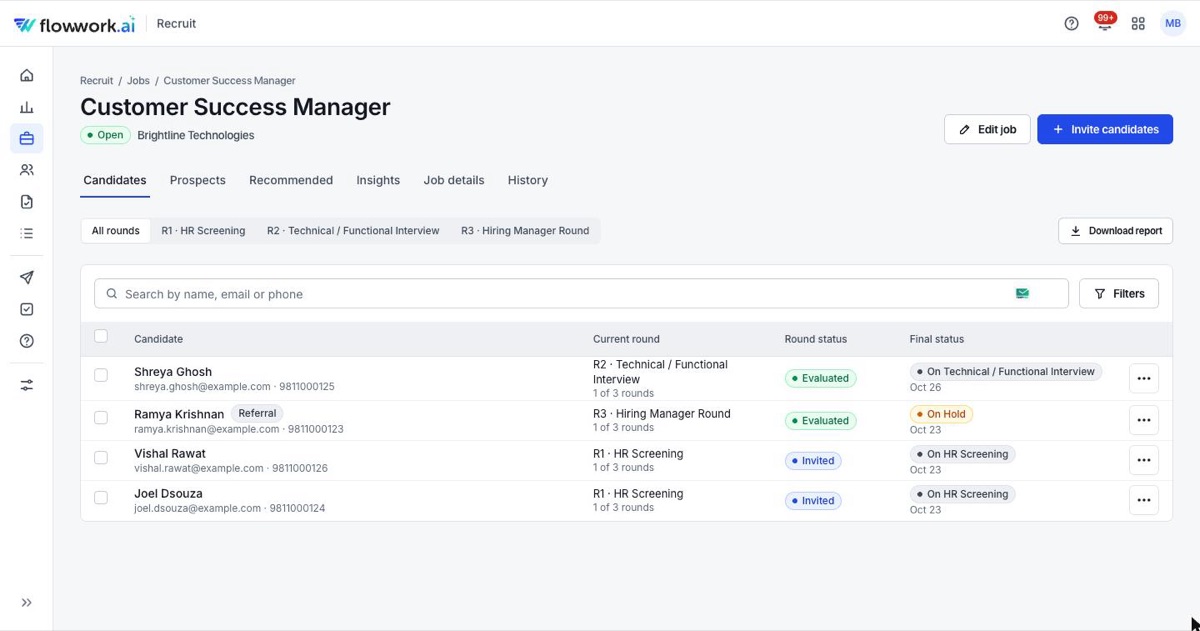
Each job has one page with everything about it: its candidates, prospects, recommended candidates, figures, details and history. Most hiring work for a job starts here.
Before you start
- Open a job from Recruit › Jobs by selecting its title, or from My jobs on your dashboard.
- What you can do on each tab depends on your permissions.
The top of the page
The job's title, status and account, and these buttons when they apply to you:
- Review approval: the job is waiting for your decision. See Approve a job.
- Edit job: opens the job editor.
- Invite candidates: for open jobs. Choose Online assessment or interview round or Schedule an interview.
Read the full guide with your flowwork account
The rest of this page has the steps, screenshots and tips. Anyone at a company that uses flowwork can read every page, and ask the Help assistant about it.
Every step, in order Real screenshots The agents that help
New companies use flowwork free until 31 December 2026