
RecruitJobs
Post a job
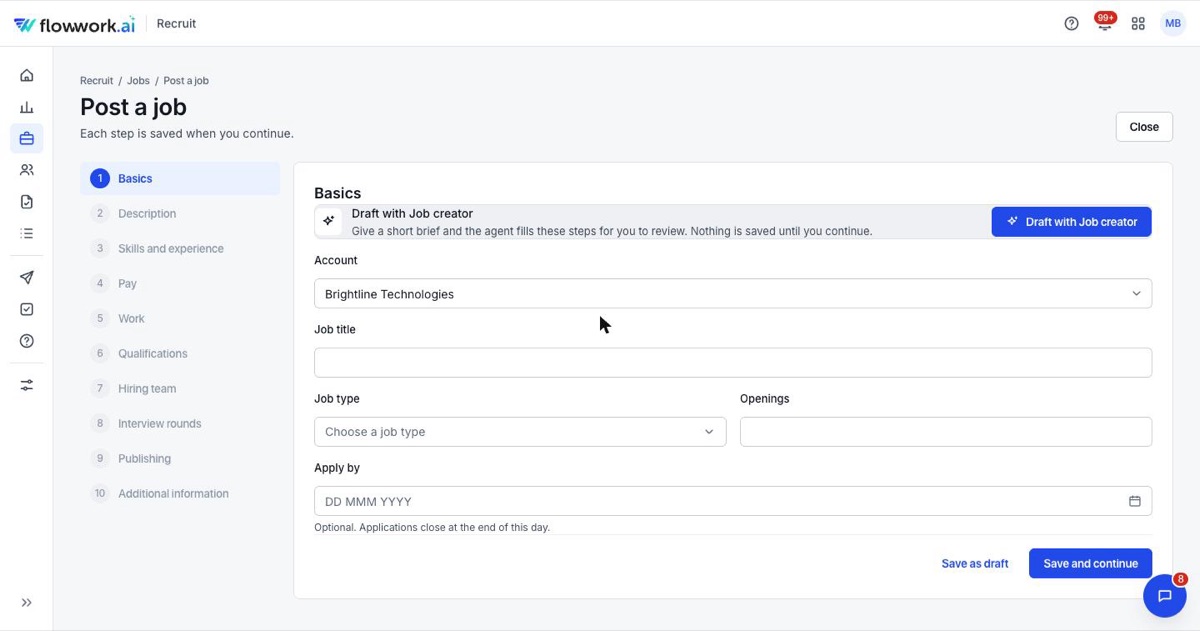
Create a job, set its interview rounds and, when you're ready, put it on your careers site. You fill in ten short steps. Each step is saved when you continue, so you can stop at any time and come back.
Before you start
- You need permission to create jobs. If you don't see Post a job on the Jobs page, ask your admin.
- If your company uses job approval, your admin sets up the approval flows first (Recruit › Settings › Job approvals).
- Interview panels you want to use should already exist (Recruit › Panels). You can add them to the job later too.
Start a new job
- Go to Recruit › Jobs.
- Select Post a job.
To start from an existing job instead, open the three-dot menu on that job and select Duplicate. The copy has the same details but no title, is not published, and has no approval flow yet.
Read the full guide with your flowwork account
The rest of this page has the steps, screenshots and tips. Anyone at a company that uses flowwork can read every page, and ask the Help assistant about it.
Every step, in order Real screenshots The agents that help
New companies use flowwork free until 31 December 2026