
HelpdeskWorking tickets
SLA on a ticket
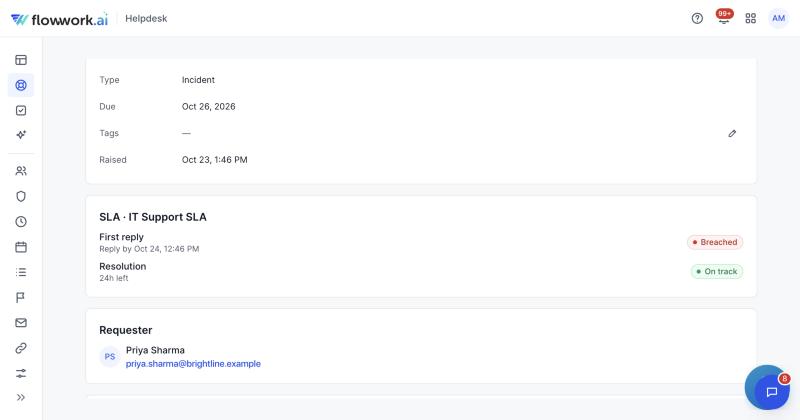
An SLA policy sets two targets for a ticket: by when someone must give a first reply, and by when the ticket must be resolved. The targets depend on the ticket's priority and count only your business hours. The ticket page shows how the ticket is doing against both, and who is emailed if it slips.
Before you start
- SLA policies are set up in SLA policies and use Business hours.
- A ticket gets a policy only when it's raised, from its group and category, and only from a policy that has Start when a ticket is created turned on. Moving the ticket later doesn't change its policy.
- The SLA tab and card are for agents. Requesters don't see them.
Where you see the SLA
- The SLA card in the side panel: the policy name, Due time, and a badge for First reply and Resolution.
- The SLA tab: the same two targets and the Policy, with the target time, plus the Escalations list. The tab shows only when the ticket has a policy and a priority.
Read the full guide with your flowwork account
The rest of this page has the steps, screenshots and tips. Anyone at a company that uses flowwork can read every page, and ask the Help assistant about it.
Every step, in order Real screenshots The agents that help
New companies use flowwork free until 31 December 2026