
ChatApprovals in chat
Approve leave and expense claims in chat
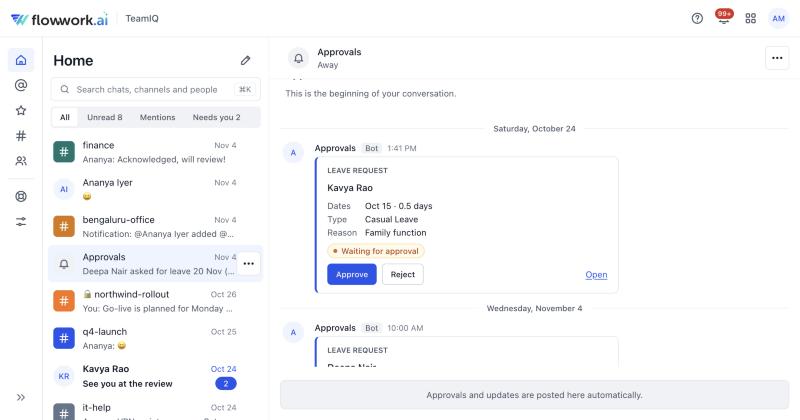
When someone asks for leave or submits an expense claim and you're the approver, a card arrives in Chat from the Approvals bot. The card shows the request and its live status, and you can approve, reject or send it back right there.
Before you start
- Cards are sent for:
- Leave requests in People, to the approver whose turn it is (the second approver gets a new card once the first has approved),
- Expense claims, to the approver of the current step.
- You get a card only when you're the approver. The buttons show only while it's your turn.
- The decision is made in People or Expense with your own account, so the same rules apply as on their screens. For example, you can never approve your own leave.
Find your cards
- On Home, the Approvals conversation has a bell icon. The Needs you filter shows it while it has unread cards.
- The conversation is read-only: Approvals and updates are posted here automatically.
Read the full guide with your flowwork account
The rest of this page has the steps, screenshots and tips. Anyone at a company that uses flowwork can read every page, and ask the Help assistant about it.
Every step, in order Real screenshots The agents that help
New companies use flowwork free until 31 December 2026