
ChatSearch, mentions and starred
Search messages
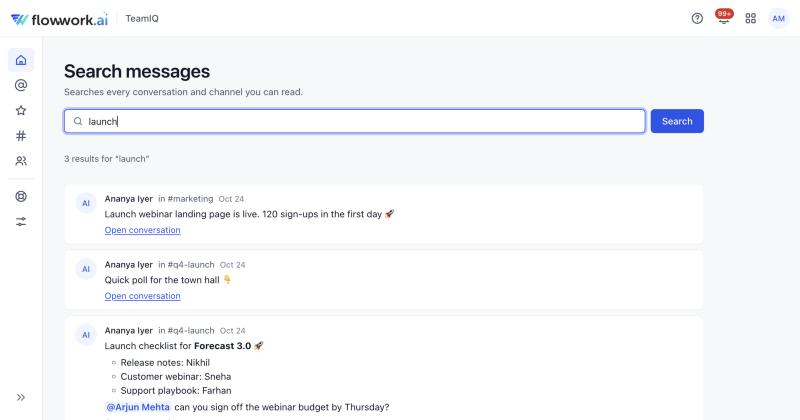
Search messages finds words in every conversation you can read: your direct chats, groups and channels, and the company-wide channels. Use it to find a decision, a link or a file someone shared weeks ago.
Before you start
- You don't need a permission. Search never shows messages from conversations you aren't in.
Search
- In the box on Home (Search chats, channels and people), type what you're looking for and select Search messages for "…". Or press ⌘K / Ctrl K first to jump to the box.
- On Search messages, change the words in Words, names or phrases if you like and select Search.
- Each result shows who wrote it, where (in #channel, in Group or in Direct message) and when.
- Select Open conversation to go to it.
The page shows N results for "…". Select Show more for the next 20.
Read the full guide with your flowwork account
The rest of this page has the steps, screenshots and tips. Anyone at a company that uses flowwork can read every page, and ask the Help assistant about it.
Every step, in order Real screenshots The agents that help
New companies use flowwork free until 31 December 2026