
ChatMessages
Polls
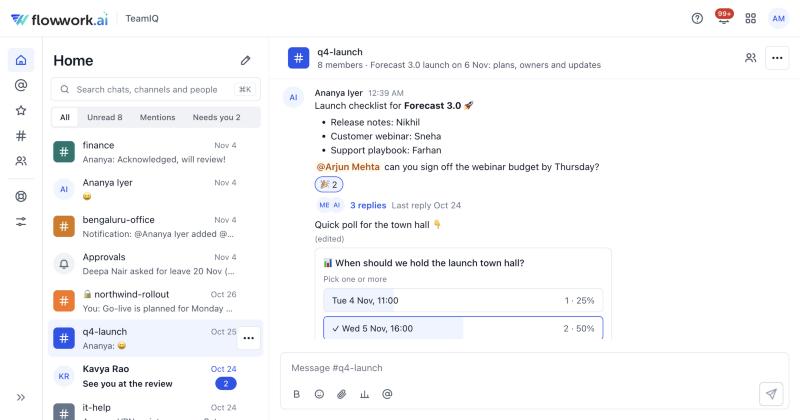
A poll asks a question with a few options, and everyone in the conversation votes with one click. Use it to pick a meeting time or settle a quick choice.
Before you start
- You can start a poll in any channel, group or direct chat you can post in, but not in a thread.
Create a poll
- Select Create a poll under the message box, or type /poll and pick it.
- Write the Question (up to 300 characters).
- Fill in at least two options (up to 10, each up to 120 characters). Select Add option for more.
- Tick Allow more than one answer if people may pick several. (Today every poll accepts more than one answer, ticked or not.)
- Select Send poll.
Chat checks that the question is there (Write the question.), that there are two options (Give at least two options.) and that no two options are the same.
Read the full guide with your flowwork account
The rest of this page has the steps, screenshots and tips. Anyone at a company that uses flowwork can read every page, and ask the Help assistant about it.
Every step, in order Real screenshots The agents that help
New companies use flowwork free until 31 December 2026