
ChatChannels
Browse and create channels
A channel is a named place for a team or a topic, like #finance or #q4-launch. Everyone in it sees every message, and new members can read what was said before they joined. Browse channels lists your channels and the company-wide ones, and anyone can create a channel.
Before you start
- Anyone in your company can create a channel. You become its admin.
- There are three kinds of channel:
- Everyone in your company: company-wide channels set up by flowwork, such as birthdays, work anniversaries and announcements. Everyone in your company can read them and post in them, and nobody can leave them.
- Public and Private (🔒): channels people create. Today both work the same way: only the channel's members can find it, read it or post in it. Someone who isn't a member can't see it on Browse channels or open its link, even when the screen says Public.
Find a channel
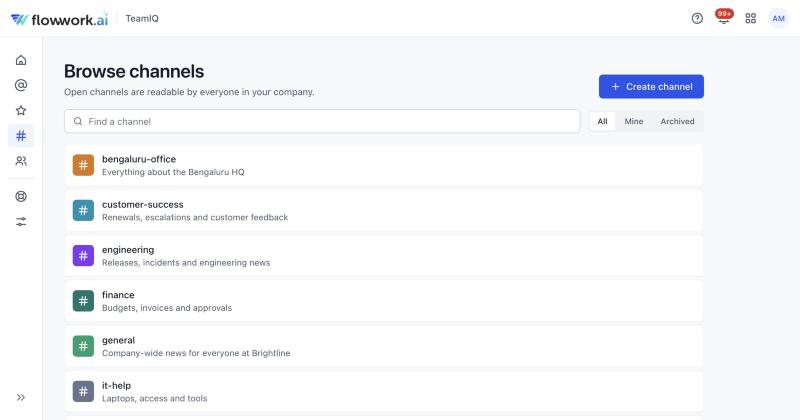
- Select Browse channels (#) in the menu.
- Type in Find a channel, or choose All, Mine (channels you're in) or Archived.
- Select a channel to open it.
The list has the channels you're a member of and the company-wide ones. Each shows its description, and a Private or Everyone badge.
Read the full guide with your flowwork account
The rest of this page has the steps, screenshots and tips. Anyone at a company that uses flowwork can read every page, and ask the Help assistant about it.
Every step, in order Real screenshots The agents that help
New companies use flowwork free until 31 December 2026