
ChatChannels
Channel details and members
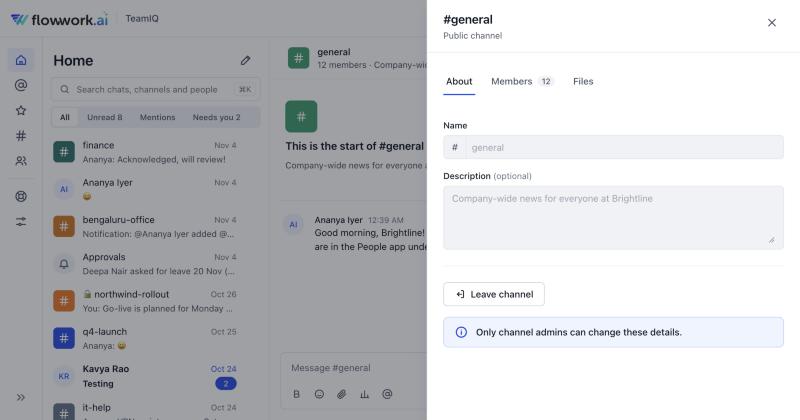
Each channel has a details panel with three tabs: About (name, description, leave, archive, delete), Members and Files. Everyone can open it. Only the channel's admins can change it.
Before you start
- Each member has a role:
- Admin: the person who created the channel, and anyone made admin. Admins change the name and description, add and remove people, change roles, archive and delete.
- Maintainer: adds and removes people and makes others maintainers, but can't change the details, archive or delete.
- Member: reads and posts.
- Everyone in the channel can read the details, see members and files, and leave.
Open the details
In a channel, select its name at the top, or the people icon (Channel details). The panel says whether it's a Public channel, a Private channel or Everyone in your company.
Read the full guide with your flowwork account
The rest of this page has the steps, screenshots and tips. Anyone at a company that uses flowwork can read every page, and ask the Help assistant about it.
Every step, in order Real screenshots The agents that help
New companies use flowwork free until 31 December 2026