
ChatMessages
Reply in a thread
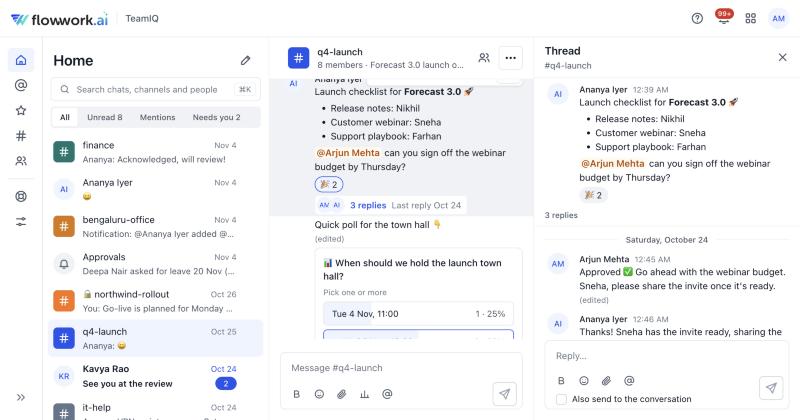
A thread keeps replies to one message together in a panel on the right, so a busy channel stays readable. Use it when you answer a specific question or follow up on one update.
Before you start
- Threads work in channels, groups and direct chats. Anyone who can read the conversation can read and reply in its threads.
Start or open a thread
- Point at a message and select Reply in thread (the arrow) in the bar that appears.
- The Thread panel opens on the right with the first message and its replies.
- Write in Reply… and press Enter.
- Select Close thread (X) to close the panel.
Under a message that has replies you see the faces of who replied, N replies and Last reply …. Select N replies to open the thread.
Read the full guide with your flowwork account
The rest of this page has the steps, screenshots and tips. Anyone at a company that uses flowwork can read every page, and ask the Help assistant about it.
Every step, in order Real screenshots The agents that help
New companies use flowwork free until 31 December 2026