
ChatChats and groups
Direct chats and groups
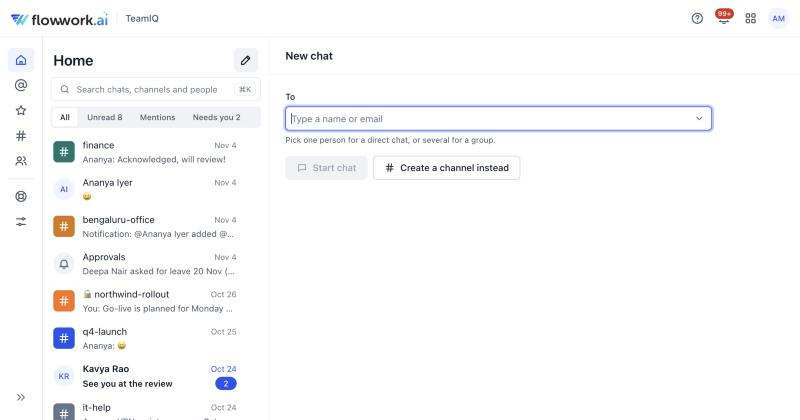
A direct chat is between you and one other person. A group is you and several people, for a quick conversation that doesn't need a channel. You start both from New chat.
Before you start
- You can chat with the people your company allows in Chat. By default that's everyone who is an employee of your company. If a name doesn't come up, your company may not allow chats with that person; see Who can see what.
- You don't need a permission to start a chat or a group.
Start a direct chat
- On Home, select the pencil (New chat or group).
- In To, type a name or an email and pick the person.
- Select Start chat.
If you already have a chat with that person, the same chat opens; there's only ever one direct chat between two people. You can also select Message on the People page or on someone's hover card.
Read the full guide with your flowwork account
The rest of this page has the steps, screenshots and tips. Anyone at a company that uses flowwork can read every page, and ask the Help assistant about it.
Every step, in order Real screenshots The agents that help
New companies use flowwork free until 31 December 2026