
Timesheet filler
Drafts your week in Timesheets from what you already did: tasks you updated, helpdesk tickets you handled, your attendance hours, your leave and holidays, and last week's timesheet. Each line says where it came from. Nothing is saved until you confirm.
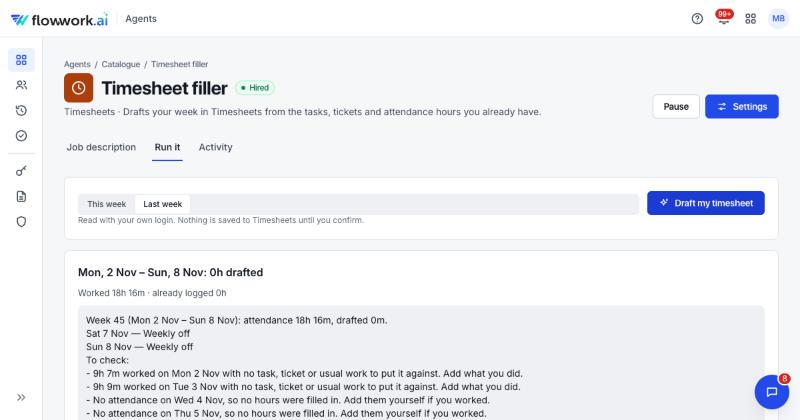
What it does
For each day of the week (Monday to Sunday), it works out how many hours can go in: your attendance worked hours, less what you've already logged that day. It then spreads those hours over what you worked on:
- Tasks you updated that day in the Projects app or Workspace, and tickets you handled that day.
- If there's nothing that day, what you worked on during the week.
- If there's nothing that week, what you logged on the same weekday last week.
It reads only the project sources your company uses (set in Timesheets Settings). Helpdesk tickets go into one "Helpdesk tickets" line, with the ticket numbers in its description. New lines are billable or not as your company's default says.
Read the full guide with your flowwork account
The rest of this page has the steps, screenshots and tips. Anyone at a company that uses flowwork can read every page, and ask the Help assistant about it.