
Projects and tasks
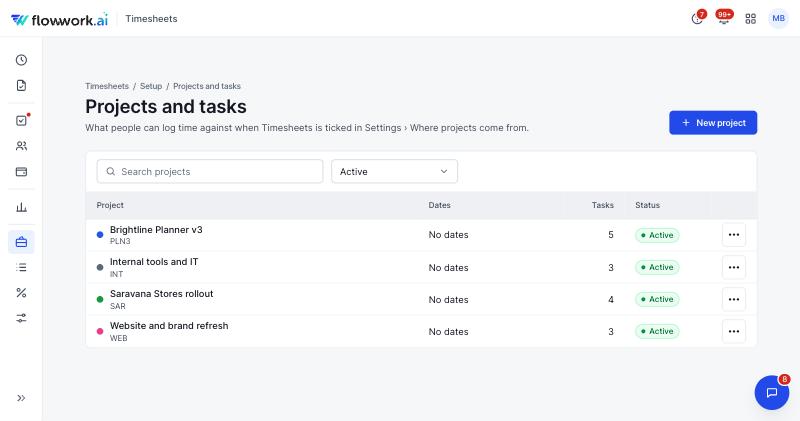
Projects and tasks is Timesheets' own list of projects, each with its tasks. People pick from it when they log time, as long as Timesheets is ticked under Where projects come from in Settings. Use it when your company doesn't run its projects in the Projects app or in Workspace, or for work that lives nowhere else, like internal meetings or training.
Before you start
- You need Timesheets setup access (Manage timesheet settings). Without it, Setup isn't in the side menu, and a link to this page shows "You don't have access to this page".
- This list is used only when Timesheets is ticked in Setup › Settings › Where projects come from. If it isn't, the page shows a note such as "Projects come from Projects app" with an Open settings button. You can still add projects here; people just won't see them until you tick Timesheets.
Where projects come from
Timesheets can offer projects from three places. You choose which in Settings:
| Source | What people pick |
|---|---|
| Projects app | Projects they are members of in the Projects app, with that project's tasks. |
| Timesheets | The list on this page, with the tasks you add here. |
| Workspace | Tasks assigned to them in Workspace. The task's list is the project. |
When more than one is ticked, people search all of them in one box. This page manages only the Timesheets list. Projects in the Projects app and Workspace are managed in those apps.
Read the full guide with your flowwork account
The rest of this page has the steps, screenshots and tips. Anyone at a company that uses flowwork can read every page, and ask the Help assistant about it.