
TimesheetsSetup
Custom fields
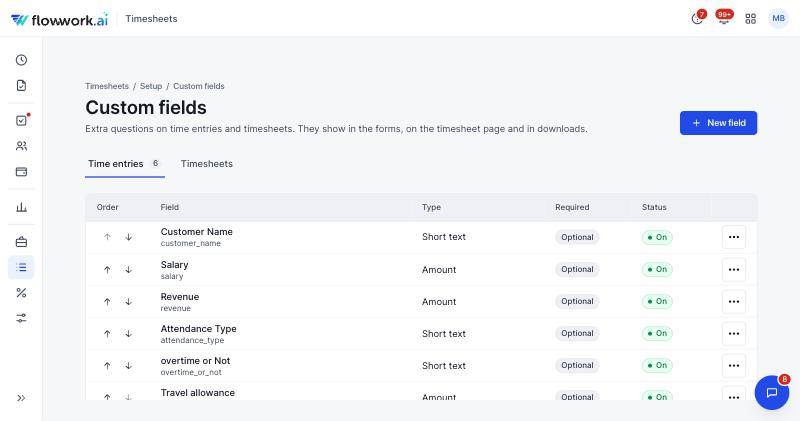
Custom fields are extra questions your company asks on time entries and on timesheets, like a client reference, a visit type or a purchase order number. You set them up once, and people answer them when they add time or make a timesheet.
Before you start
You need Timesheets setup access (Manage timesheet settings). Without it, Setup isn't in the side menu, and a link to this page shows "You don't have access to this page".
Time entries or timesheets
The page has two tabs:
- Time entries: questions on each piece of time someone logs. People fill them in when they add time.
- Timesheets: questions on a whole timesheet. They're filled in when a timesheet is made or changed.
Each tab shows how many fields it has. Pick the tab first, then add fields to it.
Read the full guide with your flowwork account
The rest of this page has the steps, screenshots and tips. Anyone at a company that uses flowwork can read every page, and ask the Help assistant about it.
Every step, in order Real screenshots The agents that help
New companies use flowwork free until 31 December 2026