
TimesheetsPay and revenue
Mark days and import visits
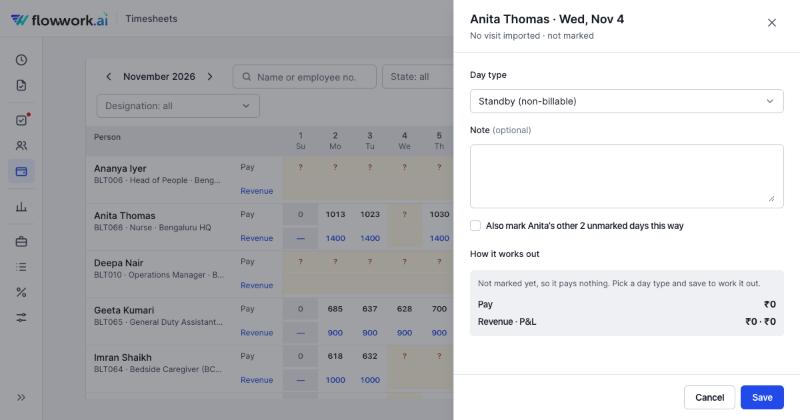
In Pay and revenue, every day of a person's month needs a day type before it pays the right amount. Days get one in three ways: you import visits from your own system, you mark one day, or you mark many days at once. This page covers all three.
Before you start
- Pay and revenue must be on for your company, with day types and rates set up in Setup › Pay rules. See Pay rules.
- Managers mark days of the people who report to them. People with View pay and revenue (allow_view_timesheet_pay) can mark anyone's days, including their own.
- A manager can't mark their own days. Your own manager does that.
- Approved days can't be changed. Someone with View pay and revenue must reopen the month first. See Approve the month.
Day types
Each company has its own list in Pay rules. New companies start with three:
| Code | Day type | What it does |
|---|---|---|
| B | Billable work | Work for a client. Brings in the client's fee and earns base pay and commission. |
| N | Non-billable | Standby, training or other paid days. Earns base pay, no revenue. |
| U | Unpaid | Absent, off or leave without pay. Pays nothing. |
The project field is called after your company's word for a client, such as Patient, Client or Site. This page says "client".
Read the full guide with your flowwork account
The rest of this page has the steps, screenshots and tips. Anyone at a company that uses flowwork can read every page, and ask the Help assistant about it.
Every step, in order Real screenshots The agents that help
New companies use flowwork free until 31 December 2026