
TimesheetsPay and revenue
Pay and revenue: day pay for staff paid by the day
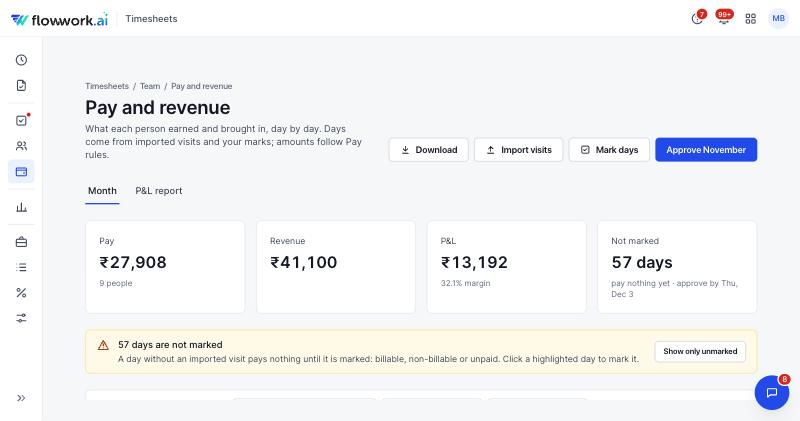
Pay and revenue works out what each person earned and what their work brought in, day by day. It's for people paid by the day or by the visit, for example home-care workers who visit patients: each day pays a base amount, a commission, or both, and a billable day brings in the client's fee. You see a month at a time, and a P&L report over several months.
Before you start
- Pay and revenue is off for every company until someone with Timesheets setup access turns it on in Setup › Pay rules. Until then, it isn't in the menu. See Pay rules.
- Managers see the people who report to them in People (reporting manager or additional manager, at any level below you). You don't see your own row.
- People with the permission View pay and revenue (allow_view_timesheet_pay), and company admins, see everyone in the company.
- Anyone else who opens the page sees a message that it is for managers and for people with "View pay and revenue".
- Amounts come from the day types and rates in Pay rules. Without rates, days pay nothing.
Open it
Go to Timesheets › Team › Pay and revenue. It opens on this month, on the Month tab.
- Use Previous month and Next month (the arrows beside the month name) to move between months.
- The month, the tab, your search and filters stay in the page address, so you can bookmark or share a view.
Read the full guide with your flowwork account
The rest of this page has the steps, screenshots and tips. Anyone at a company that uses flowwork can read every page, and ask the Help assistant about it.
Every step, in order Real screenshots The agents that help
New companies use flowwork free until 31 December 2026