
FormsBuild a form
Logic (show, hide, jump and end)
Logic changes the form based on people's answers. A rule can show or hide a later question, skip ahead to a later section, or end the form early. You set simple "show this only if" rules on the question itself, and every kind of rule on the Logic tab.
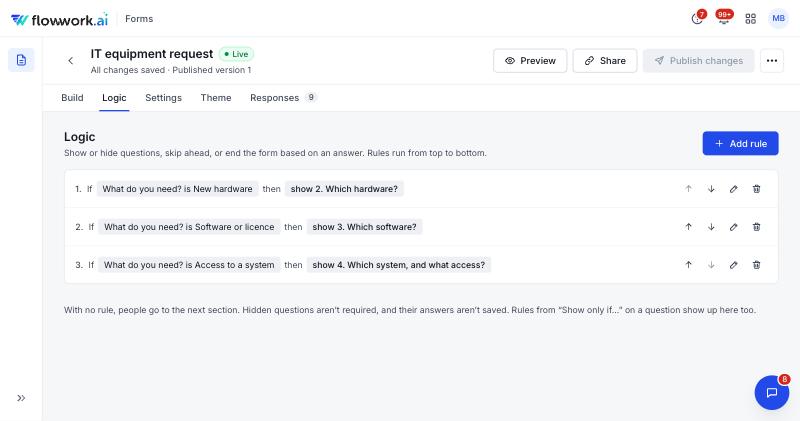
Before you start
- You need the Owner or Editor role on the form. Viewers can open the Logic tab and read the rules, but not change them.
- Add the questions first. A rule can only use questions above the question or section it changes.
- Rules are part of the draft. Like questions, they save on their own and reach people when you publish.
Show a question only for some answers
The quickest way, from the question itself:
- On the Build tab, select the question that should sometimes be hidden.
- In its settings, turn on Show only if….
- Pick the earlier Question and the Answer it must have. For checkboxes it says "includes" instead of "is".
- To allow another answer too, select Or another answer.
The question card then shows "Shown when …". Show only if… can only use multiple choice, checkboxes, dropdown and yes / no questions above this one. If there are none, you'll see "Add a choice or yes/no question above this one first."
Read the full guide with your flowwork account
The rest of this page has the steps, screenshots and tips. Anyone at a company that uses flowwork can read every page, and ask the Help assistant about it.
Every step, in order Real screenshots The agents that help
New companies use flowwork free until 31 December 2026