
FormsYour forms
The Forms list
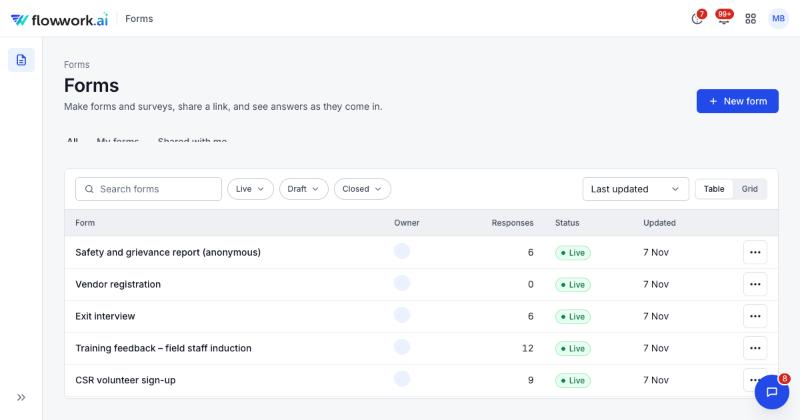
Forms lists every form you can see. From here you find a form, see its status and how many responses it has, open it, copy its link, duplicate it, close or reopen it, and start a new one.
Before you start
- Everyone with access to Forms can open the list. You see the forms you own, the forms you've been added to, forms open to the whole company and, if you can view all forms, every form in the company. See Who can do what.
- New form and Duplicate show only if you can create forms.
The tabs
- All: every form you can see.
- My forms: forms you own.
- Shared with me: forms someone else owns that you were added to, or that are open to the whole company.
Forms you see only because you can view all forms are in All, not in Shared with me.
Read the full guide with your flowwork account
The rest of this page has the steps, screenshots and tips. Anyone at a company that uses flowwork can read every page, and ask the Help assistant about it.
Every step, in order Real screenshots The agents that help
New companies use flowwork free until 31 December 2026