
FormsStart here
What Forms does, and the menu
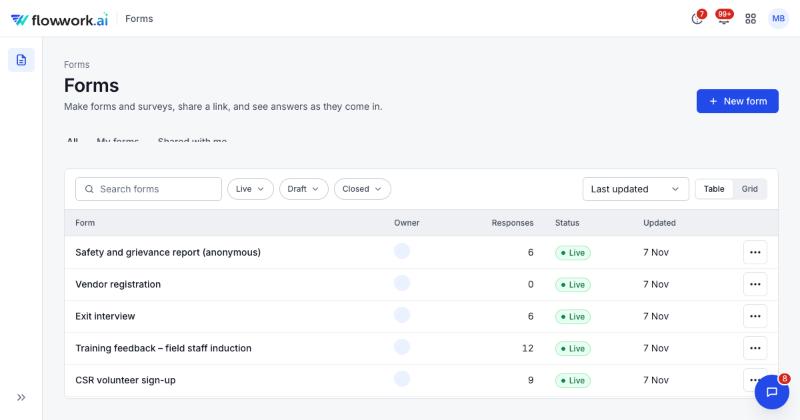
Forms lets you make forms and surveys, share a link, and see the answers as they come in. You build the questions, choose who can answer (anyone with the link, people in your company, or only people you invite), publish the form, and read the responses in a summary, one by one, or as a table you can download.
Before you start
- Open Forms from the app launcher (the grid at the top). It's called Forms.
- You need access to Forms. Without it you see Forms isn't turned on for you. Ask your admin.
- What you can do depends on your permissions and on your role on each form. See Who can do what.
- You don't need access to Forms to answer a form. Anyone can answer a form that's open to anyone, and anyone in your company can answer a company form after signing in. See Answer a form.
The menu
The menu on the left has up to two items.
| Item | What it's for | Who sees it |
|---|---|---|
| Forms | Every form you can see. Create, open, duplicate, close and delete forms here. | Everyone with access to Forms |
| Setup › Settings | Defaults for every form in your company: the default look, sharing outside the company, how long responses are kept, and company templates. | People who can manage Forms settings |
When you open a form, the side menu folds away so the editor has room.
Read the full guide with your flowwork account
The rest of this page has the steps, screenshots and tips. Anyone at a company that uses flowwork can read every page, and ask the Help assistant about it.
Every step, in order Real screenshots The agents that help
New companies use flowwork free until 31 December 2026