
PerformanceCompensation
The hike sheet
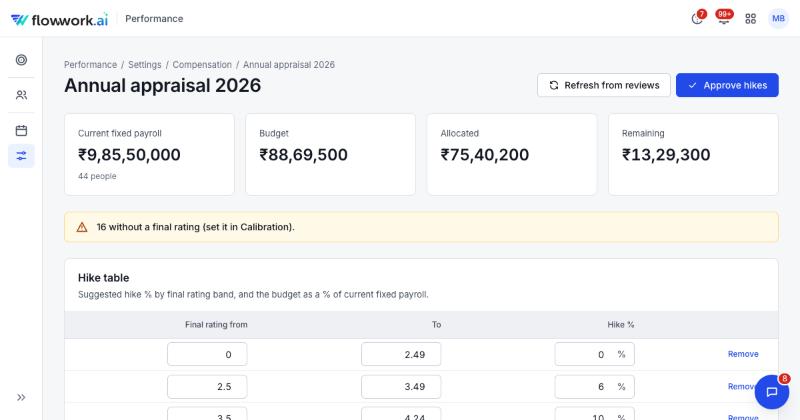
The hike sheet has one line per employee of the review cycle. Each line shows their final rating, their current fixed pay from People, the suggested hike from the hike table, the hike you give, and their new pay. You can change any line, check the budget, download the sheet and approve it.
Before you start
- You need the permissions to manage compensation (
allow_manage_compensation) and to manage performance cycles (allow_manage_performance_cycles). - Create the hike cycle and save its hike table first. See Hike cycles and hike rules.
- Set the final ratings on the review cycle's Calibration tab. They don't have to be released.
Generate the sheet
- Go to Admin › Settings › Hike cycles and open the hike cycle.
- Select Generate sheet.
Every employee in the review cycle gets a line with their employee ID, department, final rating and current fixed annual pay from People. The suggested hike comes from the hike table, and the increase and new pay are worked out from it.
Read the full guide with your flowwork account
The rest of this page has the steps, screenshots and tips. Anyone at a company that uses flowwork can read every page, and ask the Help assistant about it.
Every step, in order Real screenshots The agents that help
New companies use flowwork free until 31 December 2026