
Set up review templates
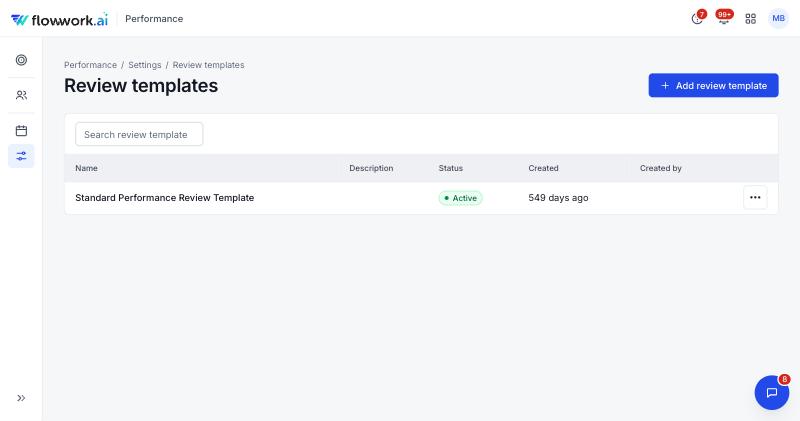
A review template decides what a review cycle contains: which parts of the review are switched on (questions, goals, competencies, overall rating and so on), which reviewers take part (self, peer, manager), who can see whose answers, and which competencies people are rated on. Every review cycle uses one review template.
Before you start
- You need the permission to manage performance cycles. With it, the Performance menu shows Admin › Review cycles and Admin › Settings.
- Settings has four groups:
- Metrics: Review cycles, Competency, Rating controls, Goal library.
- KPIs and KRAs: KPI categories, KPIs, KRAs.
- Compensation: Hike cycles. Only shown if you can also manage compensation.
- Templates: Question library, Question templates, Review templates.
- Add your competencies before you build a template. A template needs at least one.
The parts of a review come with flowwork
The parts you can switch on under Assessment includes (for example questions, goals, competencies and an overall rating) are built into flowwork and are the same for every company. You choose which ones a template uses, but you can't add, rename or remove them.
What each part shows in a review:
- The questions part asks the questions of the cycle's question template.
- The goals part shows the employee's goals for rating.
- The competencies part asks for a rating of each competency you pick in the template's Competencies step.
- The overall rating part asks for one rating for the whole review.
KRAs aren't part of a review template. When someone has KRAs assigned in the cycle, a KRA step is added to their review.
Read the full guide with your flowwork account
The rest of this page has the steps, screenshots and tips. Anyone at a company that uses flowwork can read every page, and ask the Help assistant about it.