
PerformanceSettings
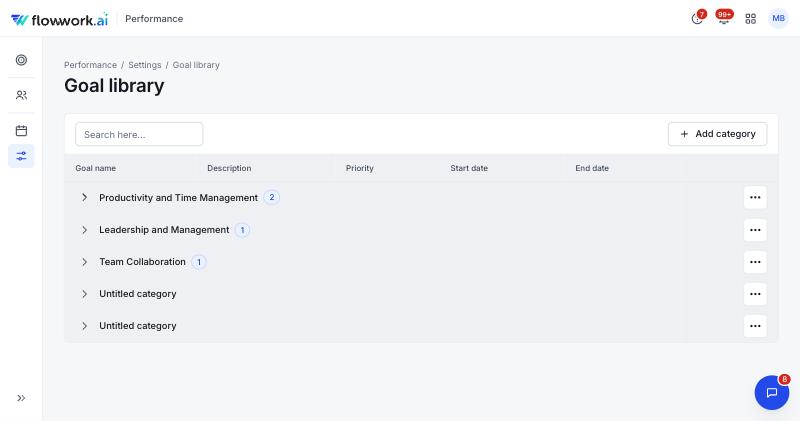
Goal library
The goal library holds ready-made goals, grouped in categories. Employees pick from it with Add from library on their Goals tab, so they don't have to write common goals from scratch.
Before you start
- You need the permission to manage performance (
allow_manage_performance_cycles). - Go to Performance › Settings and select Goal library.
- Everyone in the company can read the library when they add goals. Only people with this permission can change it.
Add a category
- Select Add category.
- Type the name in the new row and press Enter.
If you leave the name empty, the category is saved as "Untitled category". To rename it later, select its name, or use ⋯ › Rename category.
Read the full guide with your flowwork account
The rest of this page has the steps, screenshots and tips. Anyone at a company that uses flowwork can read every page, and ask the Help assistant about it.
Every step, in order Real screenshots The agents that help
New companies use flowwork free until 31 December 2026