
PerformanceSettings
Set up KPIs and KRAs
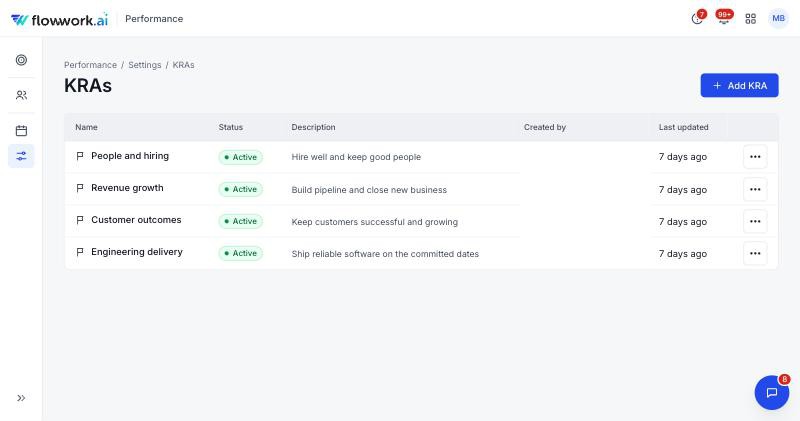
KPIs (key performance indicators) are things you measure, such as "Tickets closed within SLA". KRAs (key result areas) group weighted KPIs into an area of the job, such as "Customer support" at Brightline. You build the library here. In a review cycle, HR or a manager then gives each employee KRAs to be rated on.
Before you start
- You need the permission to manage performance cycles.
- The pages are under Settings › KPIs and KRAs: KPI categories, KPIs and KRAs.
- Work in this order: categories, then KPIs, then KRAs. A KRA can only use KPIs that already exist.
Add a KPI category
Categories group KPIs, such as "Quality" or "Delivery".
- Go to KPI categories and select Add KPI category.
- Enter the KPI category name. Pick a Color and Icon, and add a Description if you like.
- Set Status and select Submit.
Read the full guide with your flowwork account
The rest of this page has the steps, screenshots and tips. Anyone at a company that uses flowwork can read every page, and ask the Help assistant about it.
Every step, in order Real screenshots The agents that help
New companies use flowwork free until 31 December 2026