
PerformanceReview cycles
Calibration and final ratings
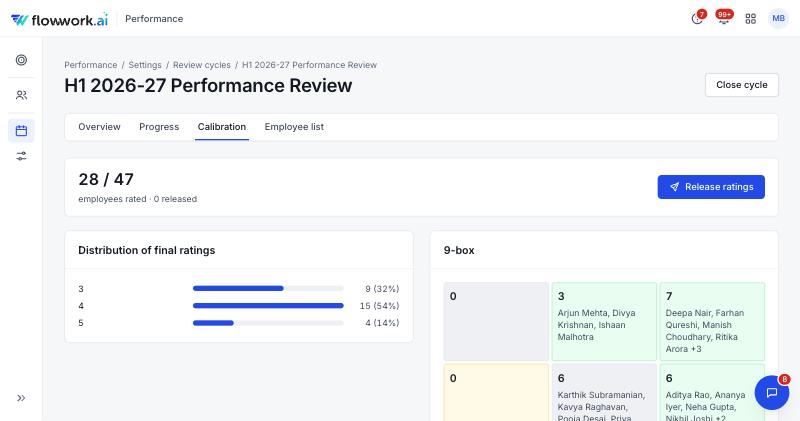
The Calibration tab puts everyone's ratings side by side so you can agree a final rating per employee. It shows the self, manager, peer and KRA scores, a suggested rating worked out from them, and how the final ratings are spread. You can also download the table as a CSV file.
Before you start
- You need the permission to manage performance cycles (
allow_manage_performance_cycles). - The cycle must have been started. Before that the tab says "Calibration is available once the cycle has been started."
- The final rating list comes from your active Rating controls. If they don't make a usable scale (fewer than two active steps, or a top score above 10), you type a number from 1 to 10 instead. See Rating controls.
Open the Calibration tab
- Go to Admin › Review cycles and open the cycle.
- Select the Calibration tab.
At the top you see how many employees are rated, for example 18 / 30, and how many ratings are released.
Read the full guide with your flowwork account
The rest of this page has the steps, screenshots and tips. Anyone at a company that uses flowwork can read every page, and ask the Help assistant about it.
Every step, in order Real screenshots The agents that help
New companies use flowwork free until 31 December 2026