
WorkspaceGit
Connect GitHub or GitLab (Git Access)
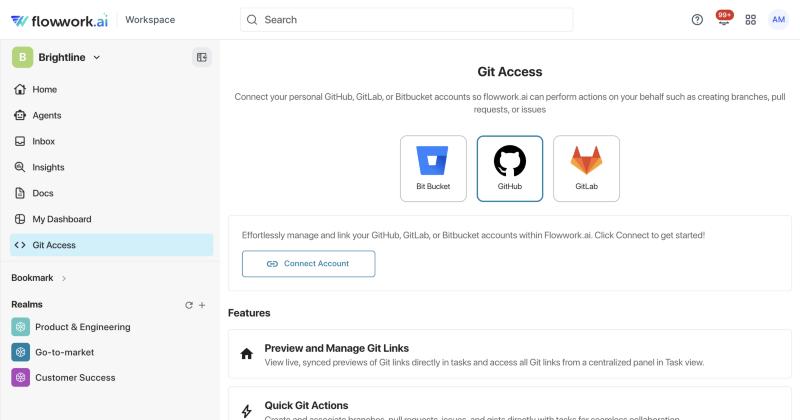
Git Access links your own GitHub account to Workspace. Once it's linked, Workspace can show your repositories, branches, commits and pull requests, and can create branches, pull requests and issues for you from a task.
Before you start
- You need a GitHub account with access to the repositories you want to use.
- Connecting is personal. Each person connects their own account. Nobody can connect for you.
Connect your GitHub account
- In the sidebar, select Git Access.
- Select the GitHub card.
- Select Connect Account.
- GitHub opens. Sign in if asked, check the access Workspace asks for, and approve it.
- GitHub sends you back to Git Access. The button now says Disconnect Account.
Workspace asks GitHub for access to your repositories, repository webhooks, your organizations, your email and projects. It needs these to read your code activity and to create branches and pull requests for you.
Read the full guide with your flowwork account
The rest of this page has the steps, screenshots and tips. Anyone at a company that uses flowwork can read every page, and ask the Help assistant about it.
Every step, in order Real screenshots The agents that help
New companies use flowwork free until 31 December 2026