
CRMAgents in CRM
Deal coach
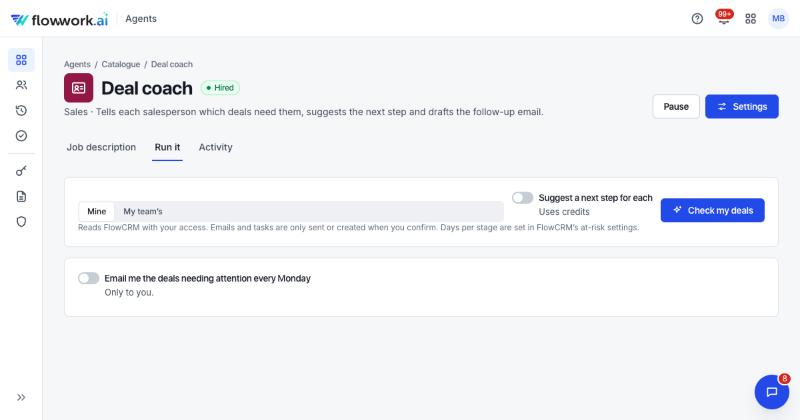
For salespeople and sales managers. The Deal coach looks over your open deals in CRM and tells you which ones need you and why. For a deal you pick, it drafts a follow-up email to the customer and a task for the next step, or reviews how likely the deal is to close. Nothing is sent or created until you confirm.
What it does
- Deals that need you: checks your open deals with fixed rules. A deal is listed when it has had no activity or stage change for longer than its stage allows, its expected close date has passed, or it has no open task (or all its open tasks are overdue).
- Follow-up: for one deal, drafts an email to one of the deal's contacts and a next-step task, from the deal's activities, notes, tasks, products, amount and stage history.
- Review: for one deal, gives a risk (low, medium or high), how likely it is to close, the reasons and the next step.
- Weekly digest: if you switch it on, emails you the deals that need you every Monday morning.
Read the full guide with your flowwork account
The rest of this page has the steps, screenshots and tips. Anyone at a company that uses flowwork can read every page, and ask the Help assistant about it.
Every step, in order Real screenshots The agents that help
New companies use flowwork free until 31 December 2026