
CRMDeals
See the sales forecast
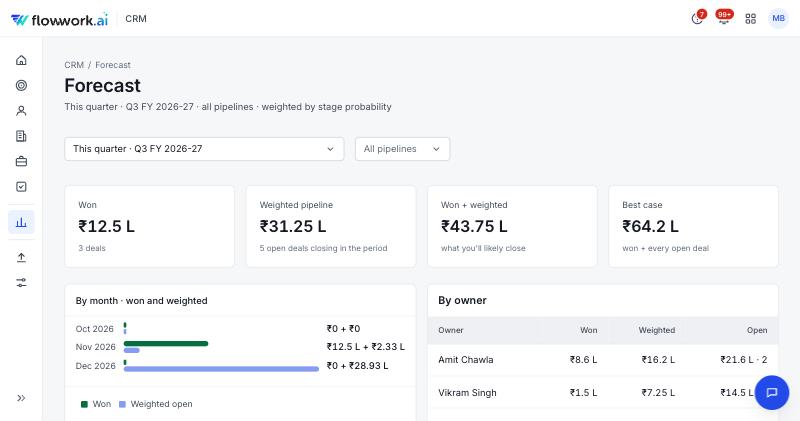
Forecast adds up what you've won and what you're likely to win in a period: this quarter, next quarter, a month or the financial year. It uses each open deal's amount, probability and expected close date.
Before you start
- Anyone with access to CRM can open Forecast, under Insights in the menu, or from Forecast on the deals board.
- The figures only count deals you can see: your own, your team's (people who report to you in People, at any level) and deals with no owner. If you can see everything in CRM, it's the whole company.
- The forecast is only as good as the deals: give them an amount and an expected close date.
Choose what to see
- Pick a Period: This quarter, Next quarter, This month, Next month or This financial year. Quarters follow the Indian financial year, so Q1 is April to June.
- Pick a Pipeline, or All pipelines.
- Pick a Product, or All products. This shows only when your company has a product list.
Read the full guide with your flowwork account
The rest of this page has the steps, screenshots and tips. Anyone at a company that uses flowwork can read every page, and ask the Help assistant about it.
Every step, in order Real screenshots The agents that help
New companies use flowwork free until 31 December 2026