
CRMAgents in CRM
Win/loss analyser
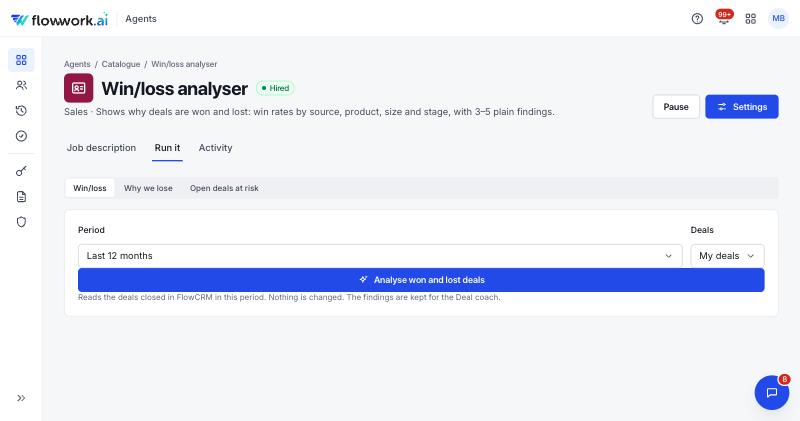
For sales managers, and for salespeople looking at their own deals. The Win/loss analyser looks at the deals closed in CRM over a period and shows why deals are won and lost: win rates by source, product, size and more, how long deals took, discounts, loss reasons and 3–5 plain findings with suggestions. It can also read lost deals' notes for common themes, and flag open deals that look like the ones you lost. It only reads: nothing in CRM changes.
What it does
- Win/loss: for the deals won or lost in a period, the win rate overall and by source, product, deal size, up to four of your deal custom fields (such as industry or region), and by salesperson in the team view. It also shows the stage lost deals reached, average and median time to close, the average discount on quotes, the loss reasons recorded and 3–5 findings, such as "Deals that sat in Proposal for over 20 days usually lose".
- Why we lose: reads the notes and activities of up to 25 lost deals and finds 2–5 themes, each with short quotes copied from those notes and a suggestion.
- Open deals at risk: compares your open deals with the patterns of deals closed in the last 12 months and lists the ones that look like lost deals, with the reasons.
Read the full guide with your flowwork account
The rest of this page has the steps, screenshots and tips. Anyone at a company that uses flowwork can read every page, and ask the Help assistant about it.
Every step, in order Real screenshots The agents that help
New companies use flowwork free until 31 December 2026