
CRMContacts and companies
Companies
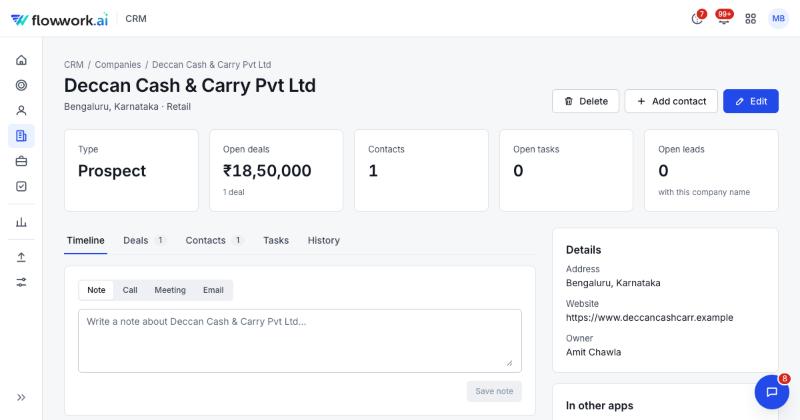
Companies are the businesses you sell to: prospects, customers and partners. Each company has its contacts, deals, tasks, timeline and history in one place. Type a GSTIN and CRM can fill in the name and address from the GST portal.
Before you start
- You see companies if you have access to CRM: your own, those owned by people who report to you in People, and unassigned ones. With the "view all CRM" permission you see every company.
- To add, edit, delete companies or use Fill details, you need the permission to manage customers.
- Fill details checks the GST portal only if your company has GSTIN checks set up in Admin › Verification and you may run verification checks. Otherwise CRM checks only the GSTIN's format.
Find a company
- Go to Companies.
- Type in Search name, GSTIN, email or phone. A full, valid GSTIN finds that exact company.
- To narrow it down, pick a Type: Prospect, Customer, Partner or Other.
Each row shows the Company with industry and city, the Type, GSTIN, Owner and Last activity. The list shows 25 a page, sorted by name.
Read the full guide with your flowwork account
The rest of this page has the steps, screenshots and tips. Anyone at a company that uses flowwork can read every page, and ask the Help assistant about it.
Every step, in order Real screenshots The agents that help
New companies use flowwork free until 31 December 2026