
Learning path recommender
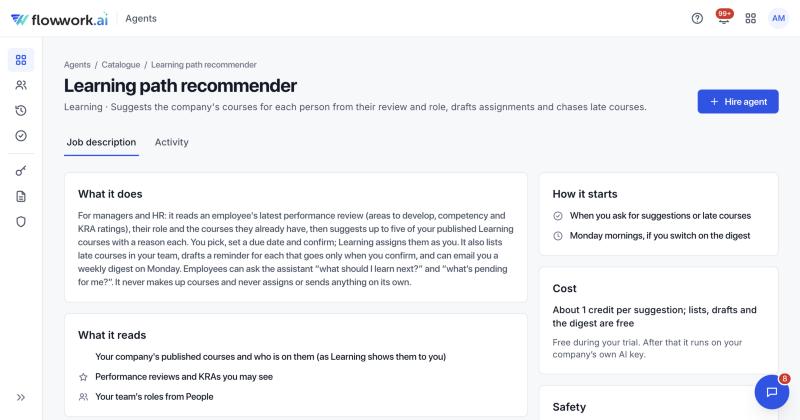
For employees, managers and HR. It reads a person's latest performance review, their role and the courses they already have, and suggests up to five of your company's published courses with a reason for each. Managers and HR can pick courses, set a due date and confirm, and Learning assigns them. It also lists late courses in your team, drafts a reminder for each, and can email you a weekly team digest. Nothing is assigned or sent until you confirm.
Before you start
- The Learning path recommender must be hired for your company, and you must be allowed to use it. See Agents in Learning.
- Your company must use Learning.
- For your own suggestions and your own pending courses, you need no Learning permission.
- To plan for your team, people must report to you in People, directly or further down.
- To assign the suggested courses, you need the Assign courses permission in Learning. Without it you still get suggestions, and you can share them with HR.
Who you can ask about
| Who you are | You can get suggestions for | You can assign | Late courses you see |
|---|---|---|---|
| Any employee | Yourself | No (ask HR or your manager) | None |
| Manager (people report to you in People) | Yourself and everyone below you in People | Only with Assign courses | Your team's |
| HR with Assign courses or View learning reports | Yourself, your team, and anyone People lets you open | Only with Assign courses | Your team's; the whole company's with View learning reports |
Anyone else is refused with "You can plan learning only for people in your team". On the Run it tab, Suggest courses for lists Me and the people in your team. For someone outside your team, HR can ask the Employee assistant in Chat on the web.
Read the full guide with your flowwork account
The rest of this page has the steps, screenshots and tips. Anyone at a company that uses flowwork can read every page, and ask the Help assistant about it.