
LearningReports and progress
Learning home
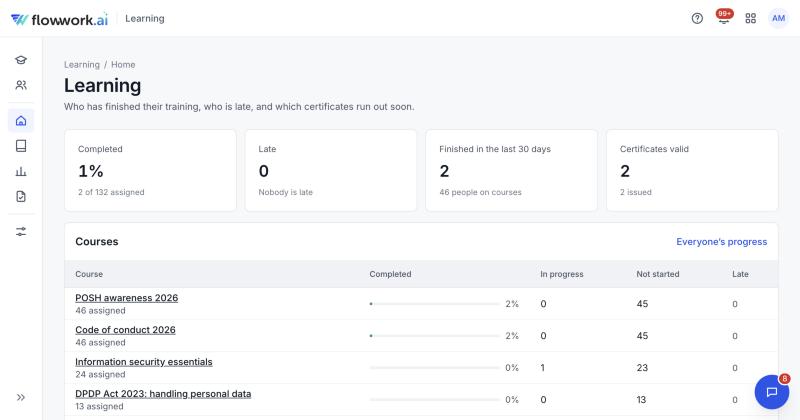
Home is the company's training at a glance: how much is completed, who is late, who finished recently and which certificates run out soon. It's the first item under Manage in the Learning menu.
Before you start
- Home shows in the menu if you have Manage courses, Assign courses or View learning reports.
- The numbers need View learning reports. Without it, Home says Company numbers need the reports permission and offers Open courses.
- With only Manage learning settings, Home isn't in your menu.
The numbers
- Completed: the share of all course assignments that are completed, with "38 of 52 assigned".
- Late: unfinished courses past their due date.
- Finished in the last 30 days: courses completed in the last 30 days, and how many people are on courses.
- Certificates valid: certificates that haven't expired or been revoked, and how many expire within 30 days.
Each renewal round counts as its own assignment.
Read the full guide with your flowwork account
The rest of this page has the steps, screenshots and tips. Anyone at a company that uses flowwork can read every page, and ask the Help assistant about it.
Every step, in order Real screenshots The agents that help
New companies use flowwork free until 31 December 2026