
LearningMy learning
Your certificates
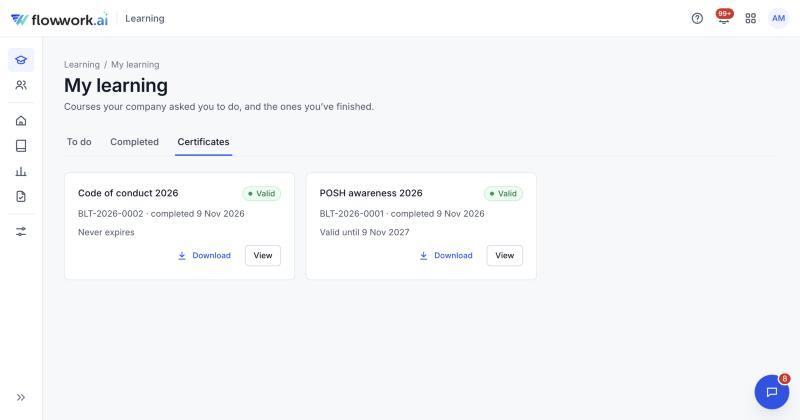
When you finish a course that gives a certificate, Learning makes one for you. You can view and download it as a PDF. Each certificate has a number and a QR code, so anyone you show it to can check that it's real.
Before you start
- Not every course gives a certificate. HR turns it on per course.
- You need to finish the course: every required lesson done, and every required quiz passed.
Find your certificates
- Open My learning.
- Select the Certificates tab.
Each card shows the course, its badge, the certificate number and completion date (for example BLT-2026-0004 · completed 12 Nov 2026), and Valid until 12 Nov 2027 or Never expires.
You also find a certificate:
- on the course's card under Completed: select Certificate,
- on the course page: select Your certificate,
- from the notice you get when it's issued.
If you have none yet, you see Your certificates show up here.
Read the full guide with your flowwork account
The rest of this page has the steps, screenshots and tips. Anyone at a company that uses flowwork can read every page, and ask the Help assistant about it.
Every step, in order Real screenshots The agents that help
New companies use flowwork free until 31 December 2026