
LearningMy learning
Take a course
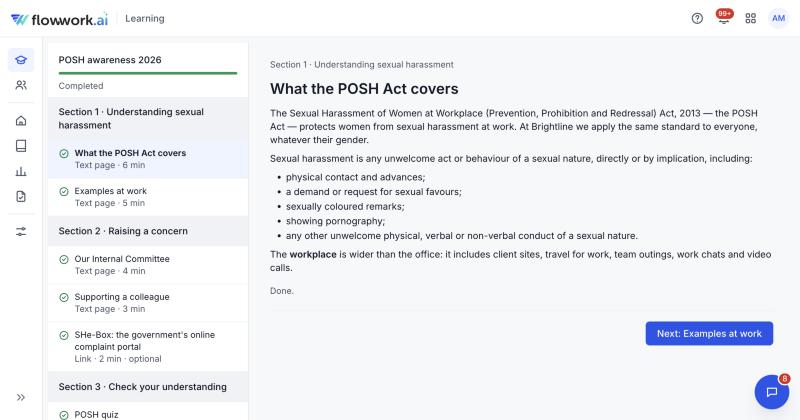
A course is a list of lessons in sections. You open a lesson, watch, read or answer it, and Learning keeps your progress. When every required lesson is done, the course is completed.
Before you start
- The course must be on your My learning list. You can open only your own courses. A link to someone else's course says it wasn't found.
- Video lessons from YouTube or Vimeo need those sites to be reachable from your network.
The course page
Select a course's title on My learning to open its page. It shows:
- the title and when it's due, or Completed and the date,
- every section (Section 1 · …) and its lessons, with each lesson's type, minutes and optional when it doesn't count toward finishing. A tick shows lessons you've done. Lessons you've started show a percentage,
- Your progress: a bar and 4 of 6 lessons done · about 45 min in all, and the course summary,
- a button at the top: Start, or Continue:
, or Your certificate once you've finished a course that gives one.
When you've finished, a green box says You completed this course. You can open any lesson again whenever you like.
Read the full guide with your flowwork account
The rest of this page has the steps, screenshots and tips. Anyone at a company that uses flowwork can read every page, and ask the Help assistant about it.
Every step, in order Real screenshots The agents that help
New companies use flowwork free until 31 December 2026