
BooksFixed assets and stock
Keep stock and post closing stock
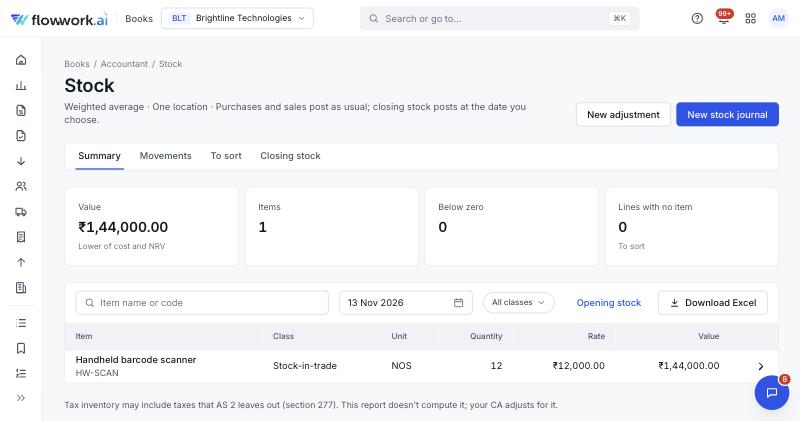
Stock is a register beside your ledgers. It keeps the quantity and value of your goods from bills, invoices, notes and your own entries. Bills still post to Purchases and invoices to Sales as usual. Closing stock reaches the ledger only when you post it, on the date you choose. You find it at Accountant › Stock.
Before you start
- To see stock you need one of: view books, view financial reports, post journals or manage Books settings. An auditor can read everything and download it.
- Turning stock on, entries, opening stock, closing stock, write-downs and settings need Manage inventory (
allow_manage_inventory). - Stock is for goods. A service item can't hold stock. Each item is turned on in Setup › Items.
- Nothing can be dated in a locked period, or before the date stock began.
- What's not here: godowns, batches, serial numbers and bills of materials. There's one location.
Turn stock on
- Go to Accountant › Stock.
- Pick From: the date of your opening stock. It must be in an open period.
- Pick Valuation: Weighted average or First in, first out.
- Select Turn on.
No posting rule changes, so it's safe at any time. Then turn stock on for your goods in Setup › Items, or upload your opening stock.
Read the full guide with your flowwork account
The rest of this page has the steps, screenshots and tips. Anyone at a company that uses flowwork can read every page, and ask the Help assistant about it.
Every step, in order Real screenshots The agents that help
New companies use flowwork free until 31 December 2026