
BooksSetup
GSTINs and branches
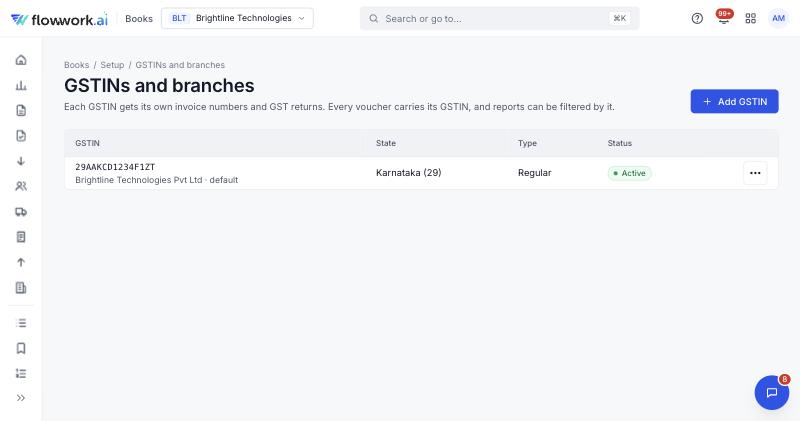
Each GST registration of your company is a GSTIN in Books. A GSTIN gets its own invoice numbers and its own GST returns. Every voucher carries its GSTIN, and reports can be filtered by it. A branch with its own registration is simply another GSTIN, with a branch or trade name.
Before you start
- Open it from Setup › GSTINs and branches.
- Anyone who can read the books can see the list.
- To add or edit a GSTIN, you need Manage books settings.
- Characters 3 to 12 of each GSTIN must be the company's PAN, from the company details in Settings. A GSTIN of another PAN is refused.
- A company that isn't registered for GST says so on this page instead. See Not registered for GST.
Add a GSTIN
- Select Add GSTIN.
- Type the GSTIN, 15 characters. Books checks the format and the check digit, and shows the state from the first two digits.
- Check the Legal name. It starts as the company's.
- In Branch or trade name (optional), name the branch, for example "Pune office".
- Add the Address (optional).
- Choose the Registration type: Regular or Composition.
- Turn on Default GSTIN if new vouchers should use it unless you pick another. The first GSTIN is always the default.
- Select Add GSTIN.
Read the full guide with your flowwork account
The rest of this page has the steps, screenshots and tips. Anyone at a company that uses flowwork can read every page, and ask the Help assistant about it.
Every step, in order Real screenshots The agents that help
New companies use flowwork free until 31 December 2026