
BooksReports and dashboards
Balance sheet
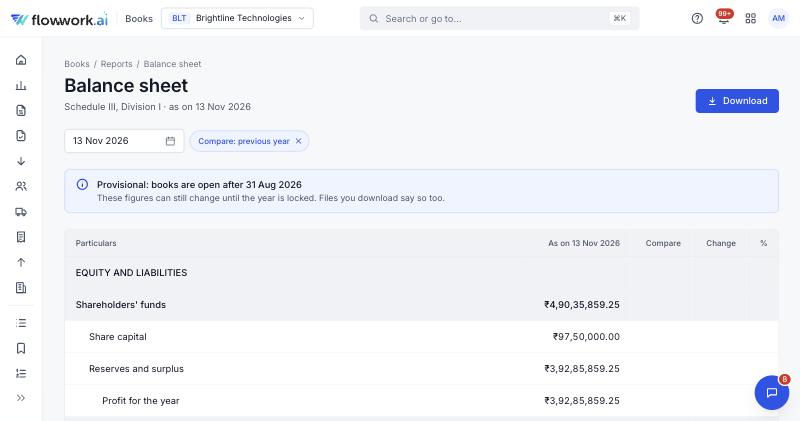
The Balance sheet shows what the company owns and owes on a date, in the Schedule III, Division I layout, next to the same date a year earlier. Profit for the year so far sits under Reserves and surplus, so you can read it any day, not only at year end.
Before you start
- You need View financial reports (
allow_view_financial_reports). - The figures are for the legal entity picked in the entity switcher.
Steps
- Go to Reports and, under Financial statements, select Balance sheet.
- Pick the date in the date chip. It opens on today.
- The Compare chip starts on the previous year (the same date a year earlier). Pick Custom dates to compare with another date, or No comparison. With a comparison you also get Change and % columns.
- Select a line's name to see the ledgers in it, then a ledger to open its entries from the start of the financial year to your date.
- Select Download and pick Excel, PDF or CSV.
Read the full guide with your flowwork account
The rest of this page has the steps, screenshots and tips. Anyone at a company that uses flowwork can read every page, and ask the Help assistant about it.
Every step, in order Real screenshots The agents that help
New companies use flowwork free until 31 December 2026