
BooksSetup
Chart of accounts
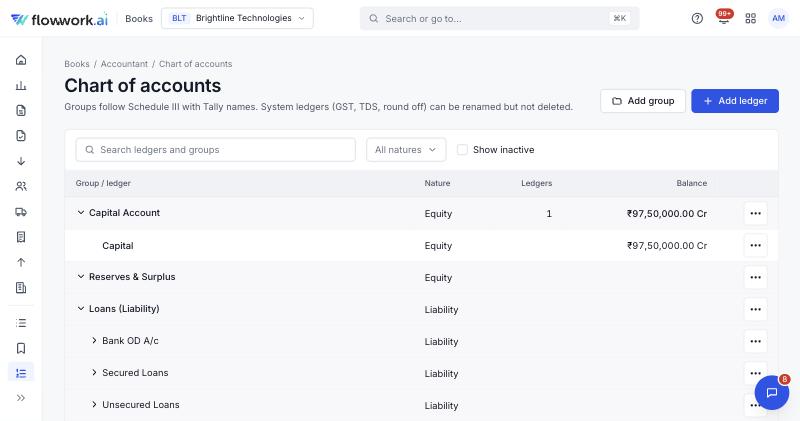
The chart of accounts is the tree of groups and ledgers your vouchers post to. Groups follow Schedule III and carry the names Tally users know, such as Sundry Debtors or Bank Accounts. You add ledgers under them, add your own sub-groups, and see each ledger's balance.
Before you start
- Open it from Accountant › Chart of accounts.
- To read it, you need one of: View books, Post journals, Manage books settings or Manage banking.
- To add, edit, make inactive or delete a ledger, you need Post journals or Manage books settings.
- To add a group or sub-group, or rename a group, you need Manage books settings.
- To move a ledger that already has posted vouchers to a group of another nature, you need Regroup posted ledgers. See Move a used ledger to another nature.
- With several legal entities, the chart is the one of the entity picked at the top. Each entity has its own chart. See Legal entities.
See Who can do what.
What's on the page
- Each row is a group or a ledger, with its Nature (Asset, Liability, Equity, Income or Expense), how many Ledgers sit under a group, and the Balance as Dr or Cr.
- Top-level groups open by default. Select a group's name to open or close it.
- Search ledgers and groups finds by ledger name, code or group name, and opens every group that matches.
- All natures narrows the tree to one nature.
- Show inactive also lists ledgers you made inactive.
- Under a ledger's name you may see System ledger, its type (Bank, Cash, Tax, Payroll), its code and Needs cost centre.
- Select a ledger to open its ledger page with all its entries.
Read the full guide with your flowwork account
The rest of this page has the steps, screenshots and tips. Anyone at a company that uses flowwork can read every page, and ask the Help assistant about it.
Every step, in order Real screenshots The agents that help
New companies use flowwork free until 31 December 2026