
BooksStart here
Tally-style view and keys
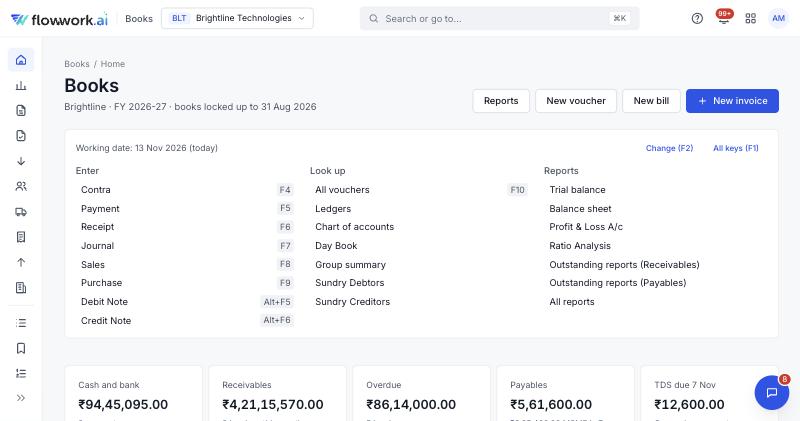
Tally-style view is a personal display setting for people who are used to Tally's keyboard. It adds F-keys for vouchers, opens the next blank voucher as soon as one posts, uses Tally's words for some menus and reports, and makes rows tighter. Your data, the rules, the edit log and the locks stay exactly the same. It changes only what you see; nobody else in your company is affected.
Before you start
- Anyone with access to Books can turn it on. It needs no other permission.
- The keys only do what your permissions allow. A key you can't use says You can't use this key and which permission it needs.
- It's saved for you in this company, so it follows you to another computer. In another company you choose again.
Turn it on or off
- Go to Setup › My preferences.
- Turn Tally-style view on or off.
The first time you open Home, Books may also offer Used Tally? Turn on Tally-style view with a Turn on button. It's offered once.
Read the full guide with your flowwork account
The rest of this page has the steps, screenshots and tips. Anyone at a company that uses flowwork can read every page, and ask the Help assistant about it.
Every step, in order Real screenshots The agents that help
New companies use flowwork free until 31 December 2026