
BooksMonth end, year end and audit
Compliance calendar
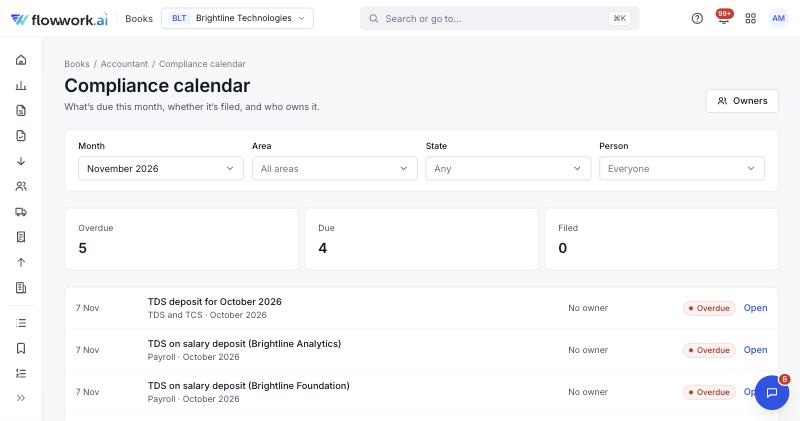
The Compliance calendar lists what your company has to file or deposit in a month: GST returns, TDS and TCS deposits and statements, and payroll dues if you use Payroll. Each item shows its due date, whether it's filed, and who owns it.
Before you start
- Almost anyone with Books access can see the calendar: any Books permission, financial reports, filing GST or filing TDS.
- To set Owners, you need post journals or manage Books settings.
- Items appear once GST settings exist or TDS has been deducted. Payroll items appear only if your company uses Payroll.
- With more than one legal entity, the calendar is for the entity picked at the top.
Steps
- Go to Accountant › Compliance calendar.
- Pick the Month.
- Narrow it with Area (GST, TDS and TCS, Payroll), State or Person.
- Select Open on an item to go to the screen where you file or deposit it.
Read the full guide with your flowwork account
The rest of this page has the steps, screenshots and tips. Anyone at a company that uses flowwork can read every page, and ask the Help assistant about it.
Every step, in order Real screenshots The agents that help
New companies use flowwork free until 31 December 2026