
ExpenseAgents in Expense
Receipt reader
For anyone who files expense claims. Upload a receipt photo or PDF to your draft claim, and the Receipt reader reads it and drafts the expense line: date, merchant, amount, invoice number, GSTIN and category. You check the line and confirm. Expense then adds it with its usual checks. It never submits your claim.
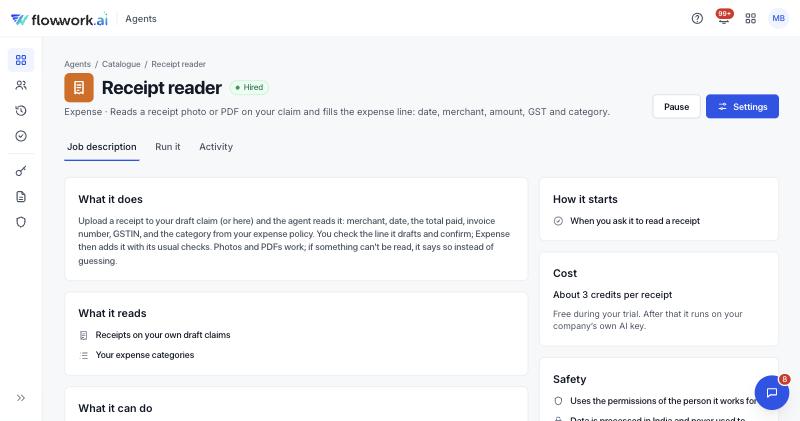
What it reads
- The receipt you pick on your own draft claim (a photo or a PDF).
- The expense categories in your expense policy, to pick the category.
It reads only your own claims, with your own login. It can't open anyone else's claim or receipt.
Read the full guide with your flowwork account
The rest of this page has the steps, screenshots and tips. Anyone at a company that uses flowwork can read every page, and ask the Help assistant about it.
Every step, in order Real screenshots The agents that help
New companies use flowwork free until 31 December 2026