
ExpenseYour claims
Create a claim
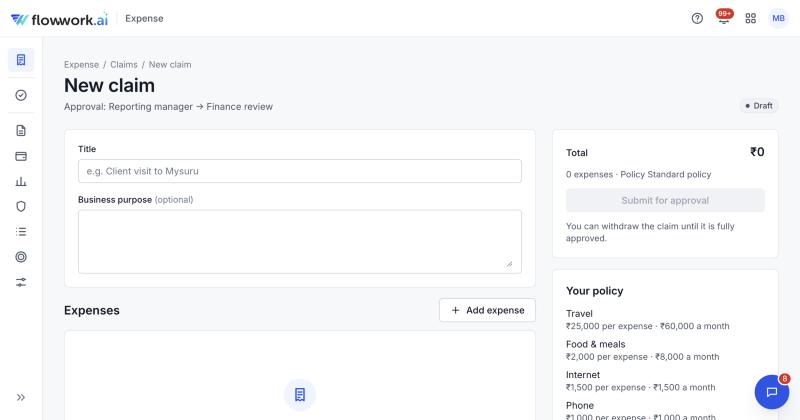
A claim collects the expenses you want paid back, for example everything from one client visit or one month's travel. You give it a title, add each expense with its receipt, and send it for approval when it's complete. Until you submit it, it's a Draft that only you can see.
Before you start
- You need access to Expense, and your account must be linked to your employee record in People.
- Your expense policy must have at least one category. If it has none, you see Your expense policy has no categories yet and Add expense is greyed out. Ask your finance team.
Steps
- Go to My expenses › Claims.
- Select New claim.
- In Title, name the claim, for example "Client visit to Mysuru". Up to 120 characters.
- In Business purpose (optional), say why you spent the money.
- Select Add expense and fill in the first expense. See Add an expense.
- Add the other expenses the same way.
- Submit the claim when it's ready, or leave the page and come back later. See Submit a claim and track it.
Read the full guide with your flowwork account
The rest of this page has the steps, screenshots and tips. Anyone at a company that uses flowwork can read every page, and ask the Help assistant about it.
Every step, in order Real screenshots The agents that help
New companies use flowwork free until 31 December 2026