
ExpenseSetup
Set up expense policies and approval chains
A policy says three things for a group of employees: which categories they can claim, how much (limits), and who approves their claims. Each employee gets exactly one policy. Every company has a default policy that covers everyone no other policy matches.
Before you start
- You need the permission to manage expense settings. See Who can do what.
- Find the page under Admin › Policies.
- Set up your categories first. A policy can only use categories that exist.
- The grades, departments and employment types you pick come from HR. Set them up in People first.
The policy you start with
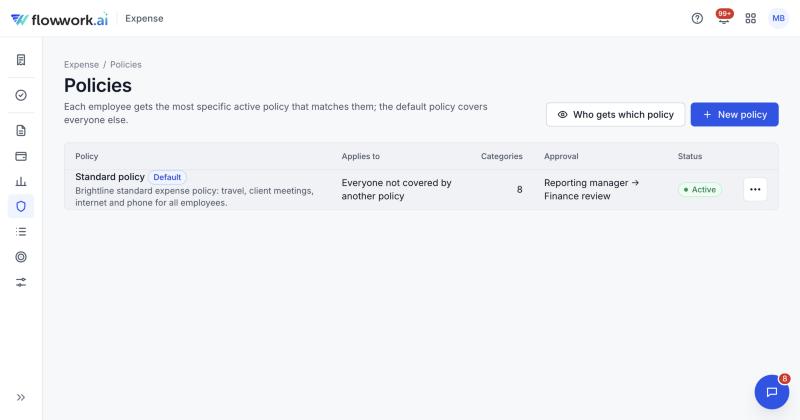
The first time anyone opens Expense, the company gets a Standard policy:
- it's the default, so it covers everyone,
- it allows every active category with no limits,
- its approval chain is the reporting manager, then Finance.
You can change it like any other policy. It can't be deleted while it's the default.
Read the full guide with your flowwork account
The rest of this page has the steps, screenshots and tips. Anyone at a company that uses flowwork can read every page, and ask the Help assistant about it.
Every step, in order Real screenshots The agents that help
New companies use flowwork free until 31 December 2026