
What Expense does, and the menu
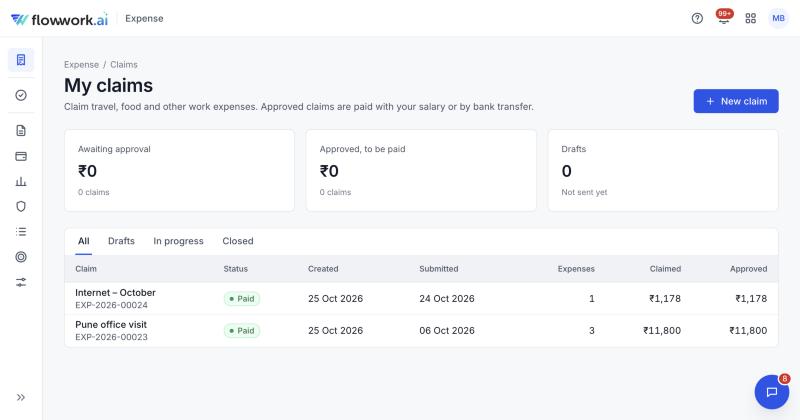
Expense is where you claim back money you spent on work: travel, food, fuel, hotels and the like. You add each bill to a claim with its receipt, send the claim for approval, and once it's approved your company pays it with your salary or by bank transfer. Approvers decide on claims in the same app, and finance pays them out and sees reports.
Before you start
- Open Expense from the app launcher (the grid at the top). It's called Expense. It opens on your claims.
- You need access to Expense. Without it you see Expense isn't turned on for you. Ask your HR team.
- Your account must be linked to your employee record in People. Expense reads your grade, department, location and reporting manager from there to pick your expense policy and your approvers.
- What else you see depends on your permissions. See Who can do what.
The menu
The menu on the left has three groups.
| Item | What it's for | Who sees it |
|---|---|---|
| My expenses › Claims | Your own claims: make, send, track and withdraw them. | Everyone with access to Expense |
| Team › Approvals | Claims waiting for your decision. | Everyone with access to Expense. It's empty unless you approve claims. |
| Admin › All claims | Every claim in the company, with filters and export. | People who can view all expense claims |
| Admin › Payouts | Pay approved claims by bank transfer, or with salary through payroll. | People who can process expense payouts |
| Admin › Reports | Expenses by category, department, cost centre, month and employee, with CSV export. | People who can view all expense claims |
| Admin › Policies | Which categories and limits apply to whom, and the approval chain. | People who can manage Expense settings |
| Admin › Categories | The kinds of expense people can claim, their fields and rules. | People who can manage Expense settings |
| Admin › Mileage rates | Rate per km for each vehicle type. | People who can manage Expense settings |
| Admin › Settings | Company-wide rules: receipts, filing window, payouts, emails. | People who can manage Expense settings |
The Admin group only shows when you have at least one of those permissions.
If your company has two or more legal entities, All claims and Reports show an entity picker in the top bar. Your own claims don't: a claim belongs to the entity you work for in People.
Read the full guide with your flowwork account
The rest of this page has the steps, screenshots and tips. Anyone at a company that uses flowwork can read every page, and ask the Help assistant about it.