
ExpenseSetup
Set mileage rates
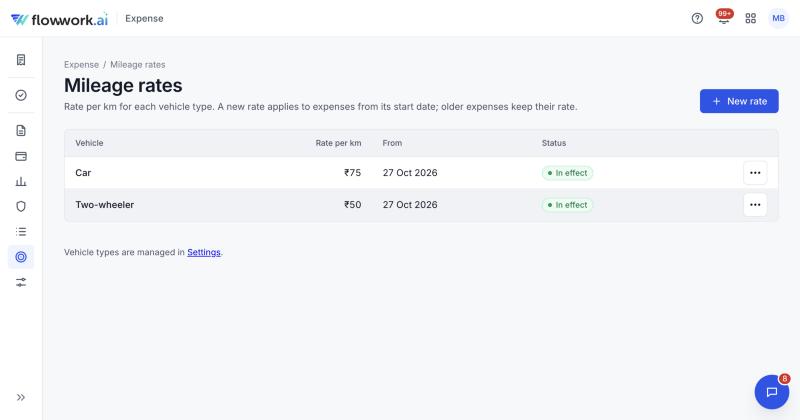
Mileage rates are what you pay per km when employees use their own vehicle for work. You set a rate for each vehicle type, from a start date. An expense uses the rate in effect on its expense date, so when you raise a rate, older expenses keep the old one.
Before you start
- You need the permission to manage expense settings. See Who can do what.
- Find the page under Admin › Mileage rates.
- Vehicle types come from Settings, under Vehicle types. The company starts with Car and Two-wheeler. Add others there first, such as "Electric car".
Add a rate
- Select New rate.
- Choose the Vehicle type.
- Enter the Rate per km, for example ₹12. It must be more than ₹0.
- Choose Applies from. Expenses on or after this date use the rate.
- Select Save rate.
For example, Brightline paid ₹10 per km for cars until 31 March. To pay ₹12 from 1 April, add a new Car rate of ₹12 from 1 April. Don't edit the old rate: a trip on 20 March still gets ₹10.
Read the full guide with your flowwork account
The rest of this page has the steps, screenshots and tips. Anyone at a company that uses flowwork can read every page, and ask the Help assistant about it.
Every step, in order Real screenshots The agents that help
New companies use flowwork free until 31 December 2026